

How can I add a fee/service fee to cover transaction costs etc?
Service Fee
A fee can be added to participants' invoices to cover costs incurred by the campaign.
It's frequently used to cover transaction fees charged by Stripe.
Checkout Interface
This is the Checkout user interface when the service fee is enabled. By default it's toggled off.

Service Fee Setup
Step 1) To set up a fee that applies to all payments or all donations go to Setup > Payments then select the pencil icon below 'Actions' on the right hand side of the page. Alternatively, you can enter the flat Fee and percentage Fee directly into the corresponding fields within the table. Once saved, the configured fees will automatically apply to all applicable payments or donations.

Step 2) Enter the flat fee component and the percentage as required and the service fee label is editable and can be modified as required.

Step 3) Determine if the fees should be optional or mandatory. Check local laws. Mandatory fees are illegal in the UK.
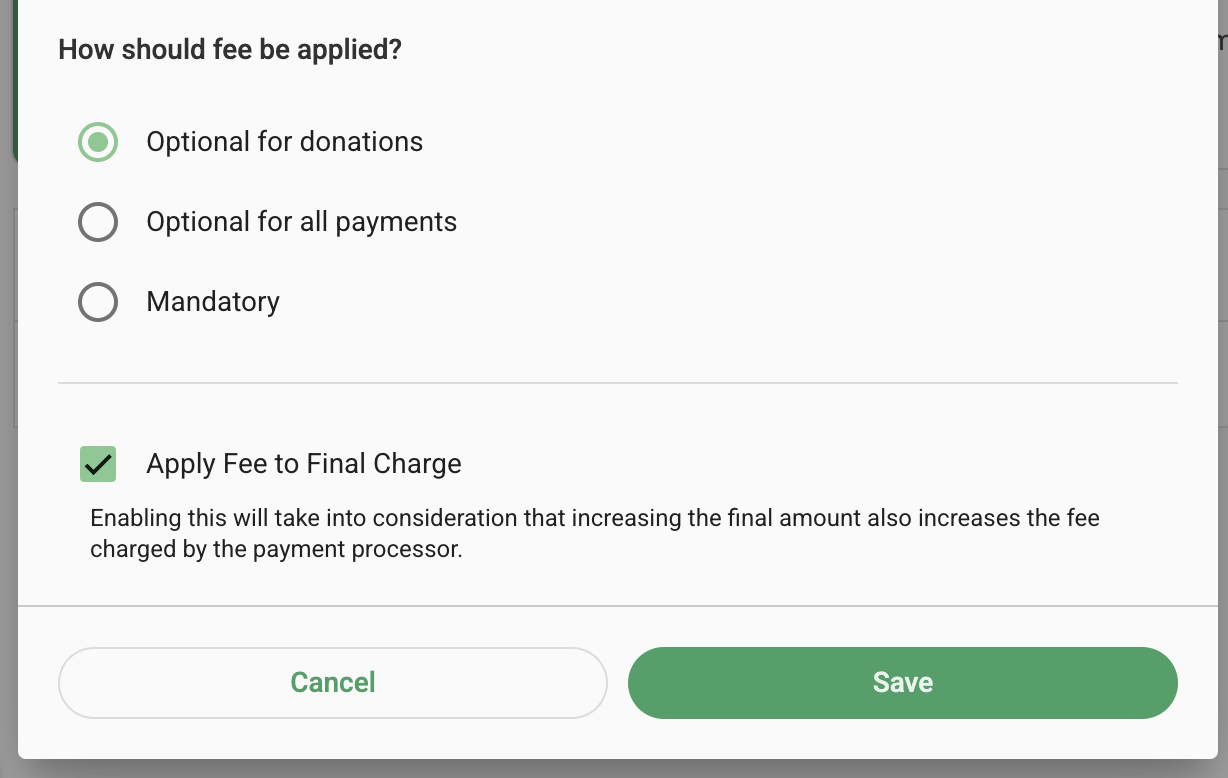
Step 4) Check the box Apply Fee to the Final Charge to enable GalaBid to adjust the percentage to compensate for the fact Stripe fees are charged on the new invoice amount.
