GalaBid Logo Fundraising Online
How can we help?
Help Centerarrow greyEvent Ticketingarrow grey

How do I add event ticket sales to my total raised?

Last updated:
August 22, 2025

The total raised is shown on your fundraising campaign by default. It's visible on the top of the left hand menu.

‍

Total Raised visible to visitors to the campaign url

‍

This can be hidden or moved by editing the campaign's menu.

‍

The total raised can also be added to projector displays.

‍

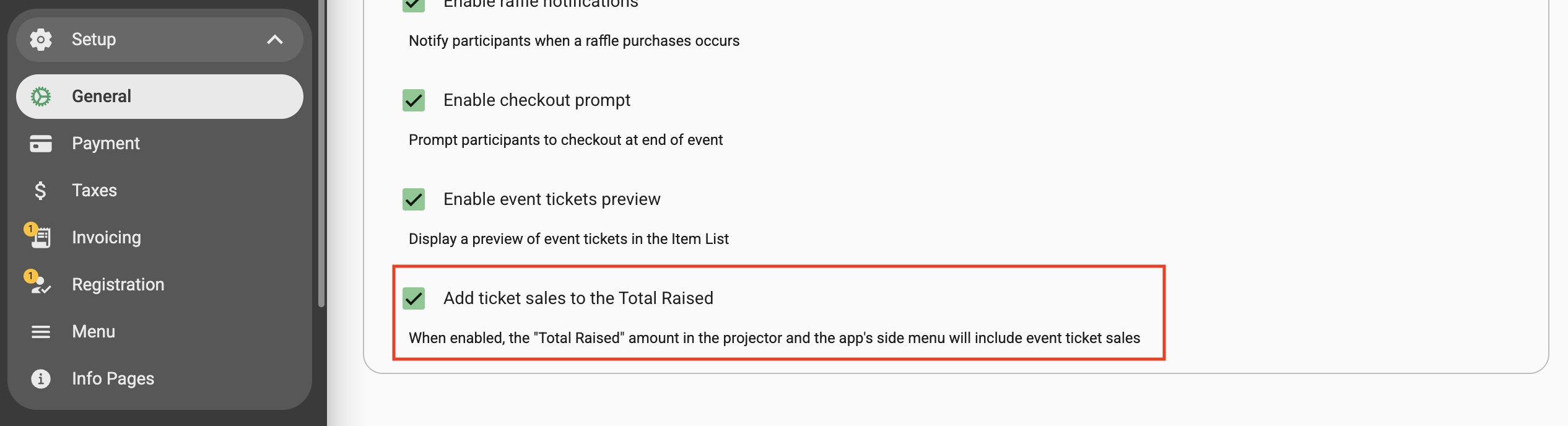
To include the proceeds from event tickets in the total raised amount, go to Setup > General > Advanced Options and check the box and Save.
POPULAR ARTICLES

Give Feedback
ticketing for fundraising events banner

You can sell tickets for your fundraising event with GalaBid

Use as a standalone solution, or enjoy a seamless connection with GalaBid’s extensive auction, raffle and donation components, all within the same fundraising campaign.

EXPLORE THE FEATURE