

How to add CSS snippet to your campaign?
Adding CSS snippets to your campaign is a great way to create a more personalized and unique look, making your campaign more visually engaging for participants.
Most of the CSS snippets we provide can be easily used by simply copying and pasting them into the CSS section under the Branding tab or the Custom CSS section within the projector display. However, some CSS snippets may require additional customization depending on your requirements.
You can add the CSS below by navigating to Branding > Settings in your dashboard. Scroll down to the bottom, where you will find the CSS section.
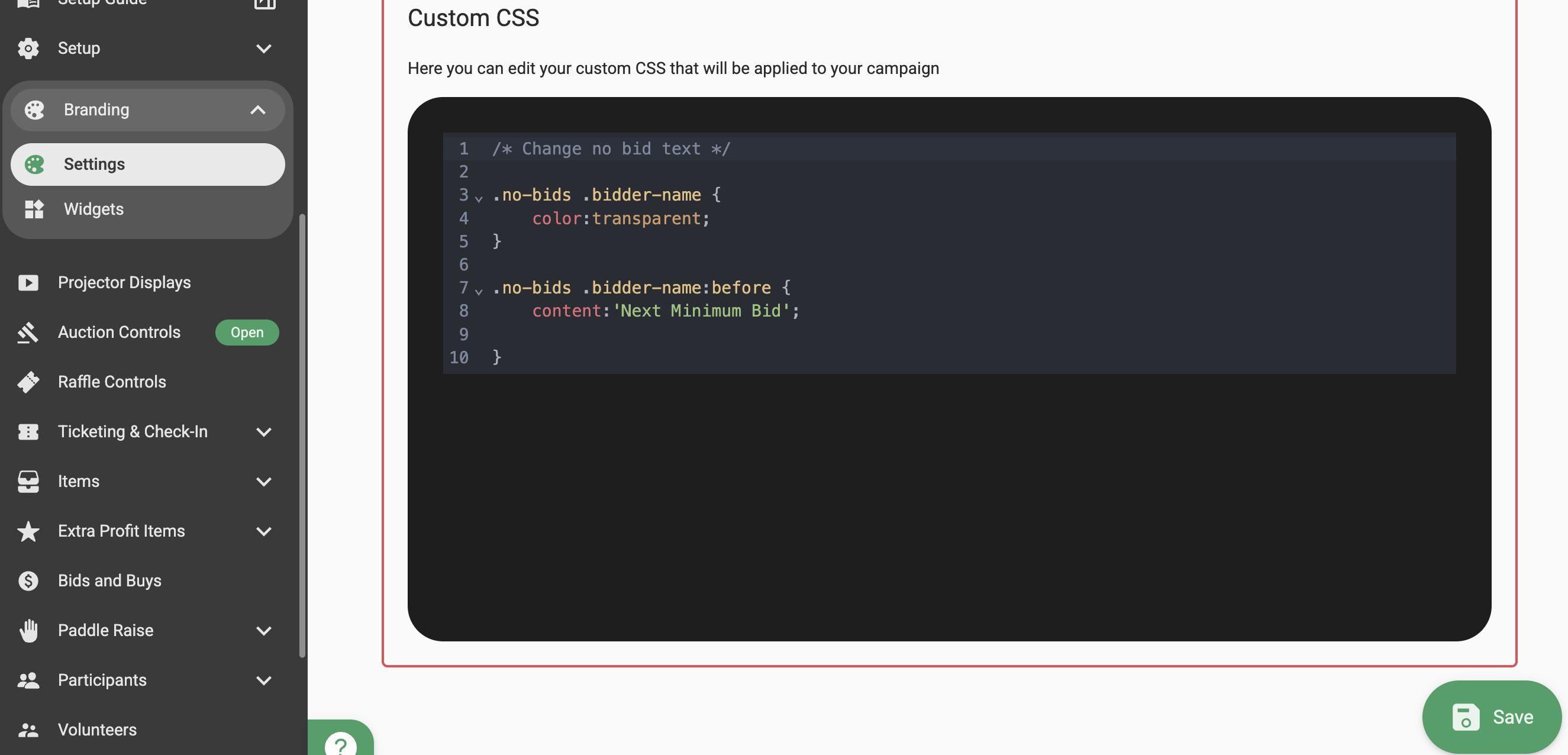
Below are a few customizations you can make by adding CSS:
1. Change the input field label from "Tables" to "Sponsor packages".
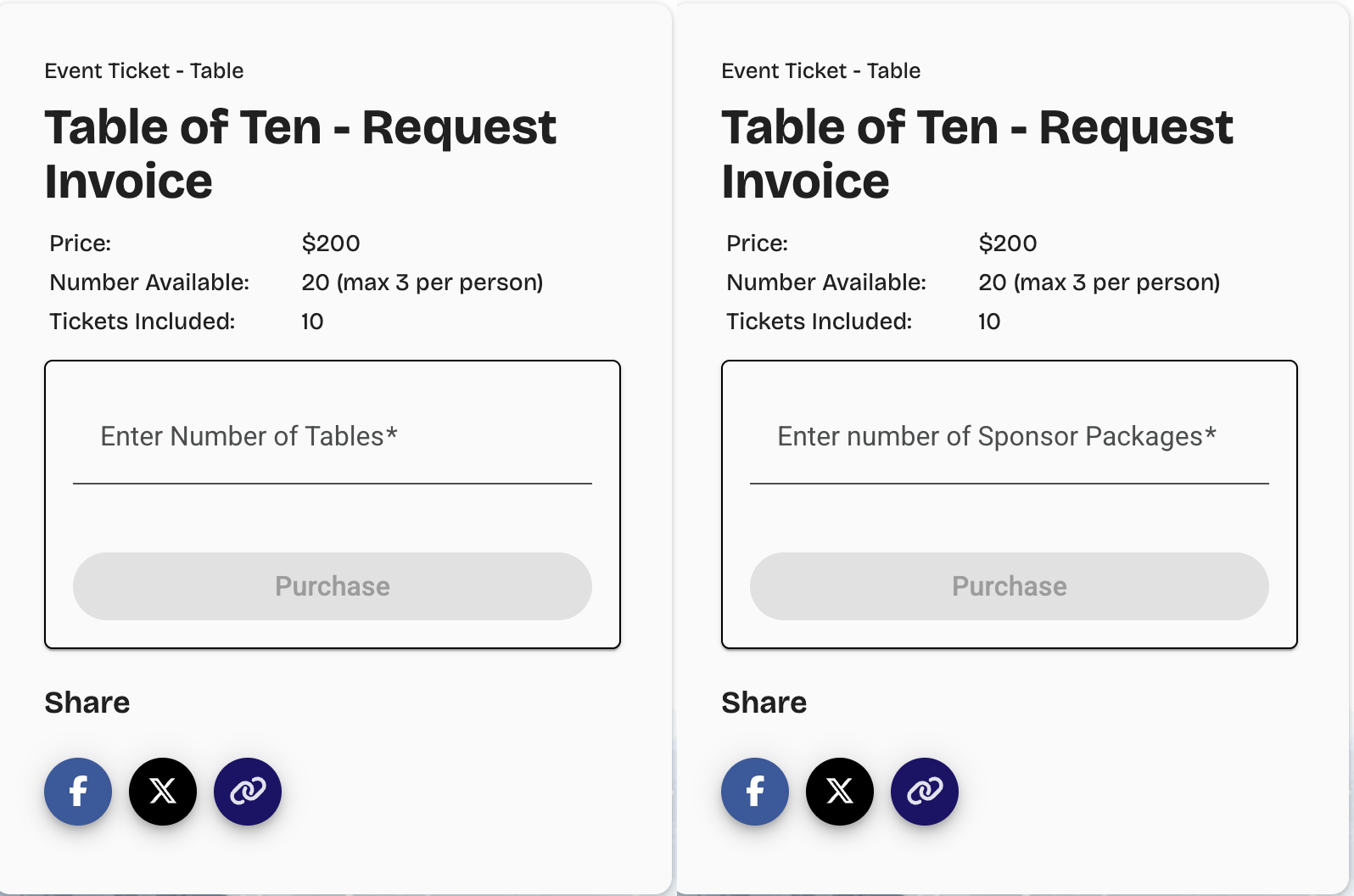
Add the CSS below to your campaign by replacing the "ticket-detail-id" with your ticket ID. You can find the ticket ID in the top URL bar when viewing the ticket.
/* Change input label as table to sponser */
[ticket-detail-id="192834fd-ef12-4722-9922-711c69cda1b9"] [translate="EVENT_TICKET.INPUT_LABEL"] {
color: transparent;
font-size: 0px;
}
[ticket-detail-id="192834fd-ef12-4722-9922-711c69cda1b9"] [translate="EVENT_TICKET.INPUT_LABEL"]:before {
font-size: 16px;
content: 'Enter number of Sponsor Packages';
color: var(--mat-form-field-filled-label-text-color, var(--mat-sys-on-surface-variant));
}
2. How to add a custom message like "Silent Auction" on the all items page below the banner?
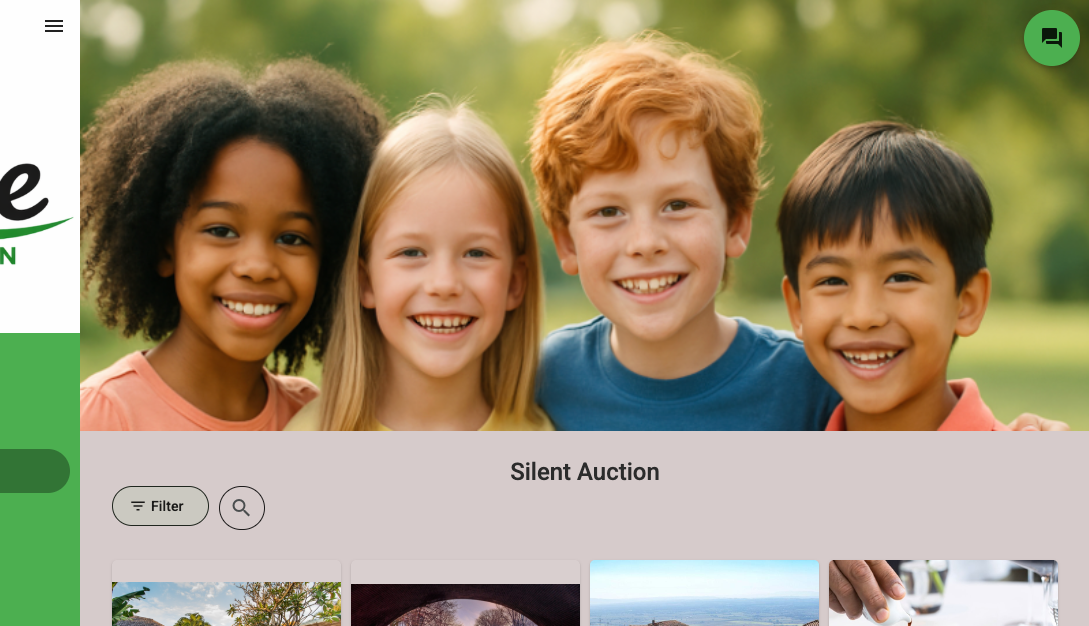
/* Add text below the banner image */
.item-list-container:before {
content: 'Silent Auction';
display: block;
width: 100%;
text-align: center;
font-size: 24px;
font-weight: 500;
}
3. How to remove the "Note that raffle winners do not remain anonymous on Raffle projector displays" message?
.png)
/* Hide raffle leaderboard warning message for all raffle items */
.gb-item-detail-container .raffle-warning {
display: none;
}
4. How to hide the number of tickets available for an event?
.png)
/* Hide tickets available but show max per person still */
.ticket-action-card-content .tickets-remaining [translate="EVENT_TICKET.NUMBER_AVAILABLE"] {
display: none;
}
.ticket-action-card-content .tickets-remaining .mat-body-1 span:nth-child(1) {
display: none;
}
5. How to hide raffle tickets related details?
.png)
/* Hide raffle max tickets per person */
gb-raffle-item-info .tickets-remaining span:nth-child(2)  {
    display: none;
}
/* Hide raffle tickets remaining */
gb-list-raffle-item-info .list-item-remaining,
gb-raffle-item-info tr:nth-child(2) {
    display: none;
}
/* Hide "Buy tickets individually" option for all raffle items */
mat-option.raffle-other-option {
    display: none;
}
6. How to update the auction item tiles background colour to #F5F0E8?
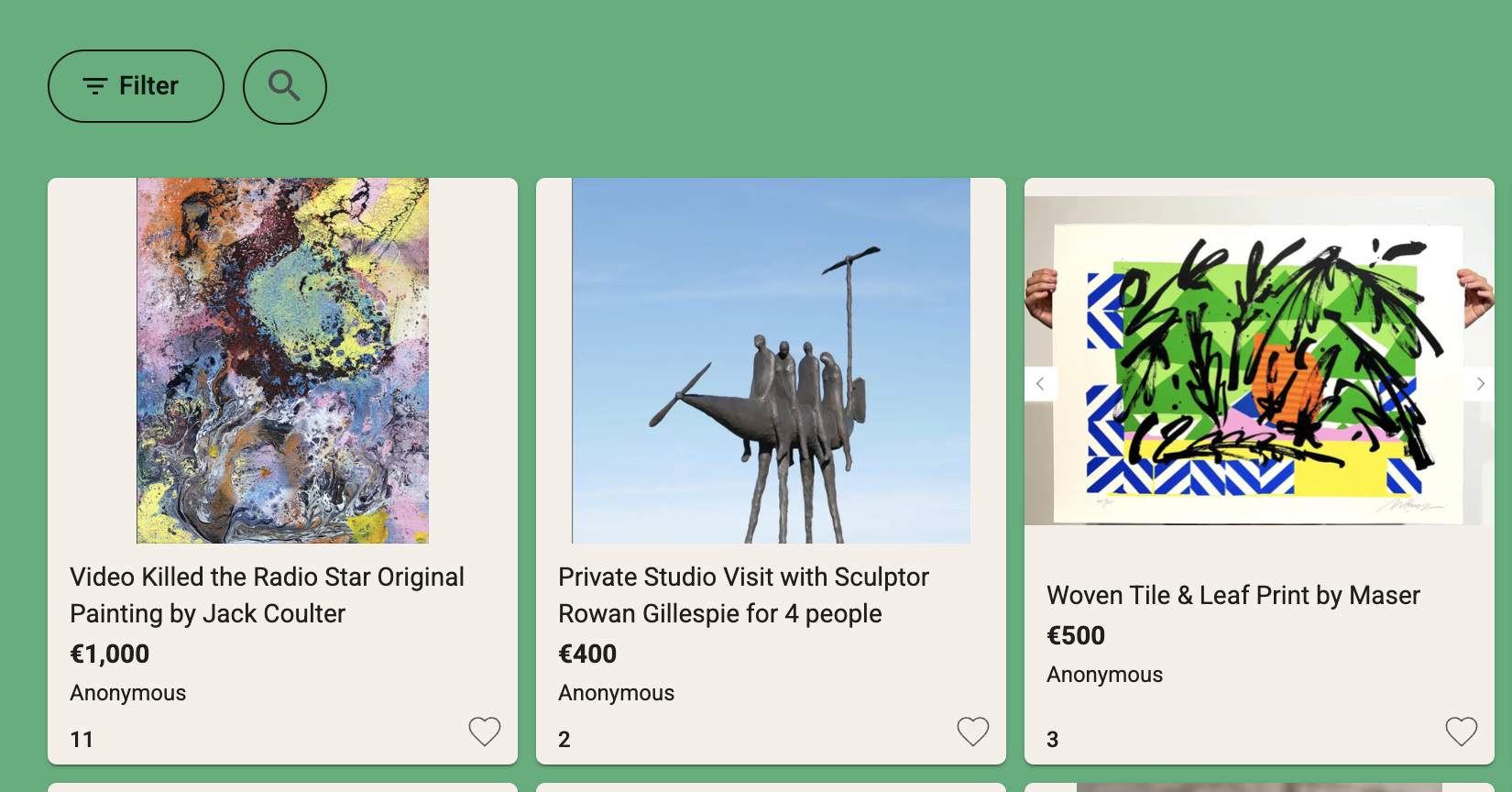
/* Update background color of auction item tiles */
.gb-list-item-card {
background-color: #F5F0E8 !important;
}
.gb-list-item-card .fav-button {
fill: #F5F0E8 !important;
}
7. How can I add a preferred message below the purchase confirmation message?
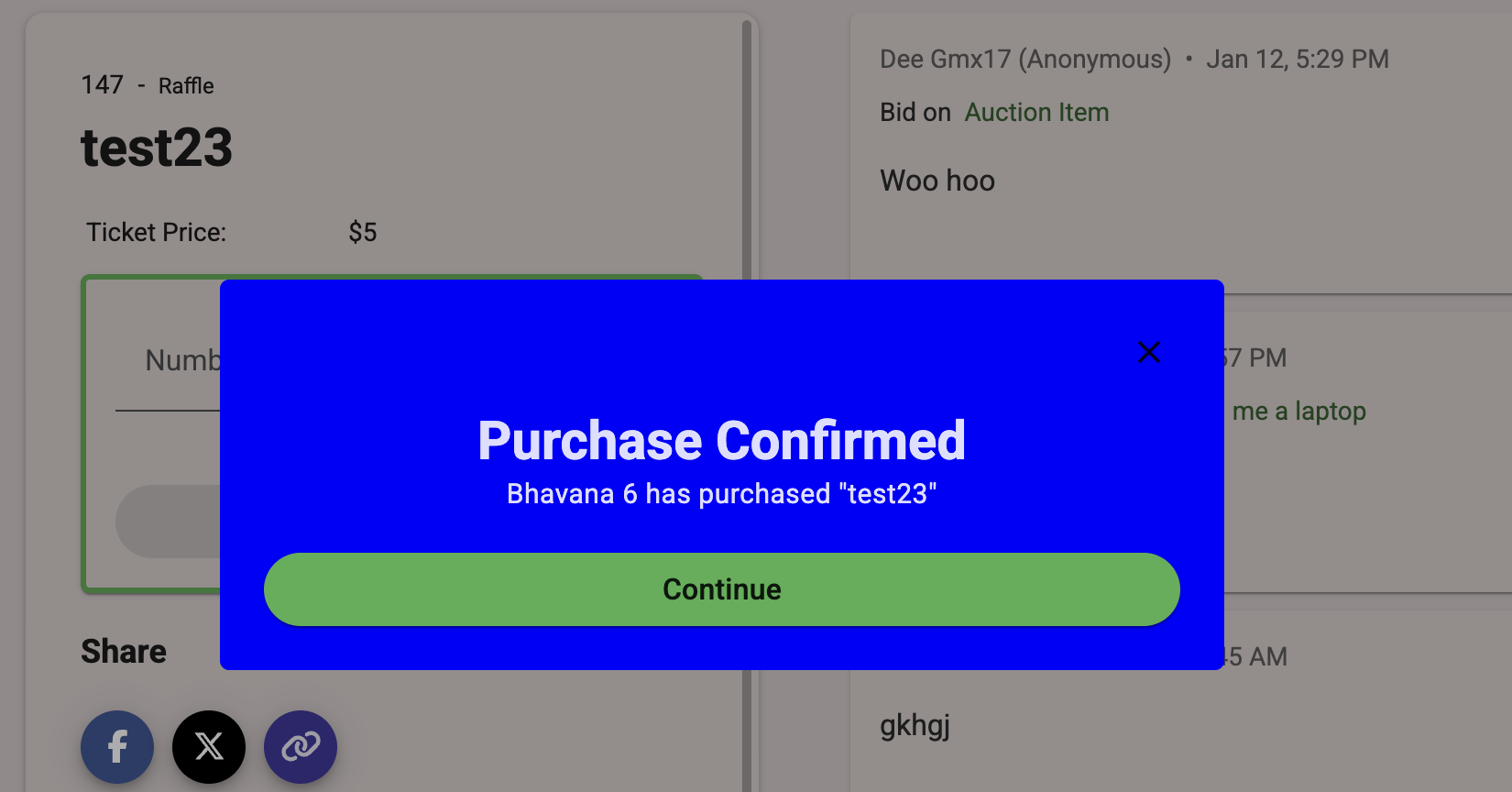
/* Show additional message in raffle purchase dialog */
body:has(.gb-item-detail-container[item-detail-id="5bec59ec-8859-49c8-b053-c6a66df5d41c"])
gb-message-dialog .message-body::after {
content: "If you have purchased the Bonus Raffle Bundle, a volunteer will personally deliver your jar";
display: block;
padding-top: 8px;
font-size: 0.9em;
line-height: 1.2em;
font-weight: 500;
}
8. How can I make the item name bold and highlight the price?
/* Make item titles bold on the item list page */
gb-list-item .gb-list-item-title .gb-two-line-truncate {
font-weight: bold !important;
font-size: 16px !important;
}
gb-list-item .item-price,
gb-list-item .list-item-price:not(:has(.item-price)) {
background: #ff8135;
padding: 6px 16px;
border-radius: 6px;
color: white;
max-width: fit-content;
margin: 0;
}
gb-list-item .item-price {
padding: 3px 16px;
margin: 2px 0;
display: block;
}
.gb-list-item-card {
height: 120px;
}
9. How can I customize the banner height using CSS?
/* banner height limit */
.banner-container.banner-image-limited, .gbAuctionBannerLimit img {
max-height: 500px !important;
object-fit: cover !important;
}
Note: If the customization or specification you require is not listed in this article, please reach out to our support team at helpdesk@galabid.com. We’ll review your request and assess whether we can accommodate your specific requirements.
