

How do I Duplicate Items?
Item Duplication
Admins can duplicate items directly within the same campaign. To duplicate a single item, navigate to the Items list, click the three-dots menu next to the item, and select the duplicate option.

To duplicate multiple items at once, select the items using the bulk-action checkboxes and choose the duplicate action below.
Note: Admins can duplicate standard and donated items. IOC items can only be duplicated by staff.

Duplicating and Transferring Items
Items from one campaign can easily be transferred into another. Items from the same campaign can be duplicated using the same process.
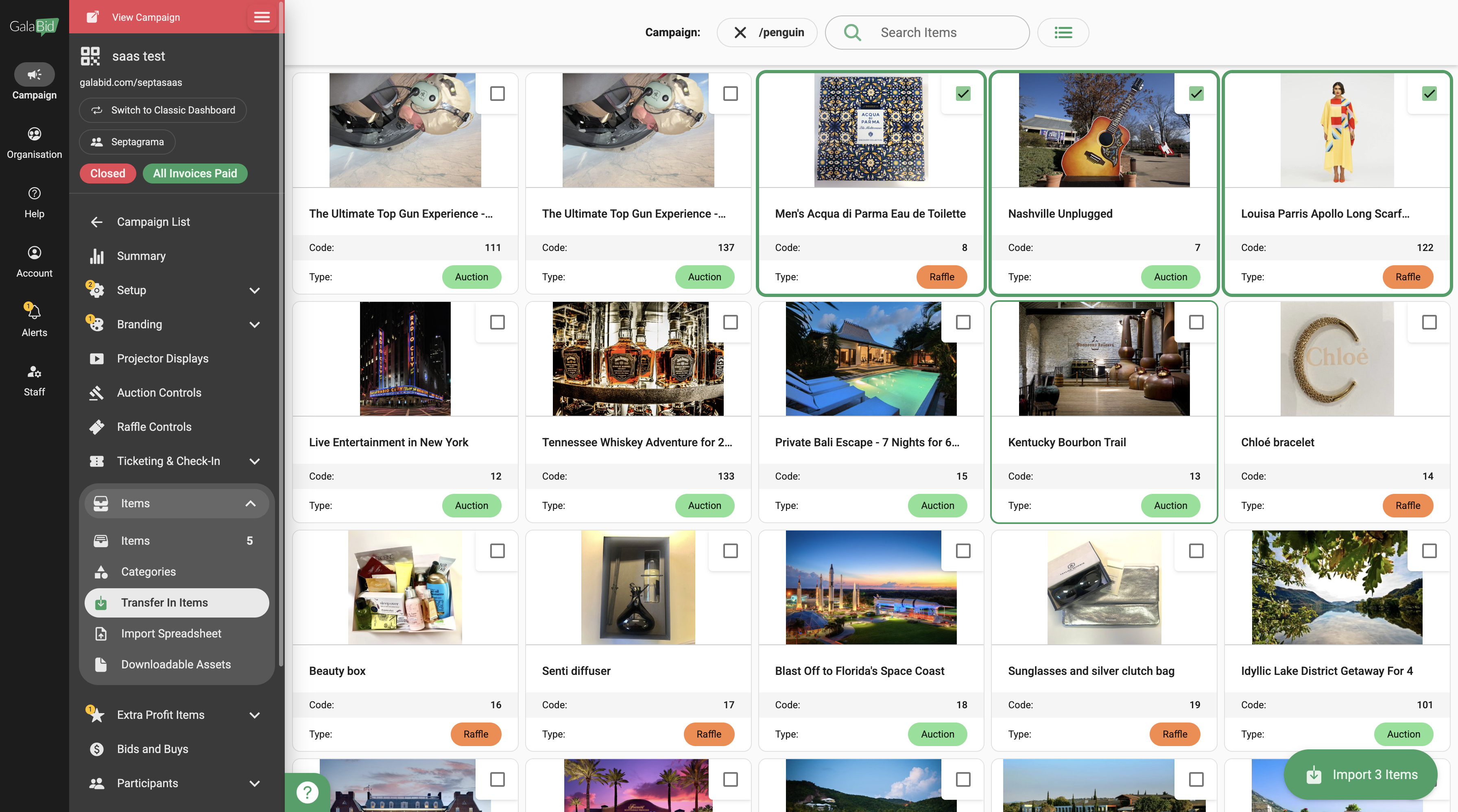
In the destination campaign go to Items > Transfer Items. Next, select the relevant campaign.
If you wish to duplicate an item within your current campaign you can select the current campaign.
Then select the items you wish to transfer and click Transfer Items.
This video starts with duplicating entire campaigns. See the chapter on duplicating or transferring items at 0:55
