

How can admins accept items donated by supporters into their campaign?
Item Donations Overview
The Item Donations feature allows supporters to submit items directly to a campaign for consideration.
When submitting an item, supporters provide the required item details and submit it for review. Once submitted, campaign admins receive an automated notification to review the donation.
Admins can review each submitted item and choose to:
1. Edit the item details if any changes are required.
2. Approve the item to add it to the campaign.
3. Decline the item if it is not suitable for the campaign.
This feature makes it easier for campaigns to collect item donations from supporters while allowing admins to review and manage submissions before adding them to the campaign.
Here's a video tutorial on item donations.
How to Allow Supporters to Donate Items?
Campaign admins can allow supporters to submit items directly to their campaign by making the Donate Item form publicly accessible.
To add the donation form to your campaign menu, go to Setup > Menu > Add Menu Item. Select Donate Item as the section type and enter your preferred label name.
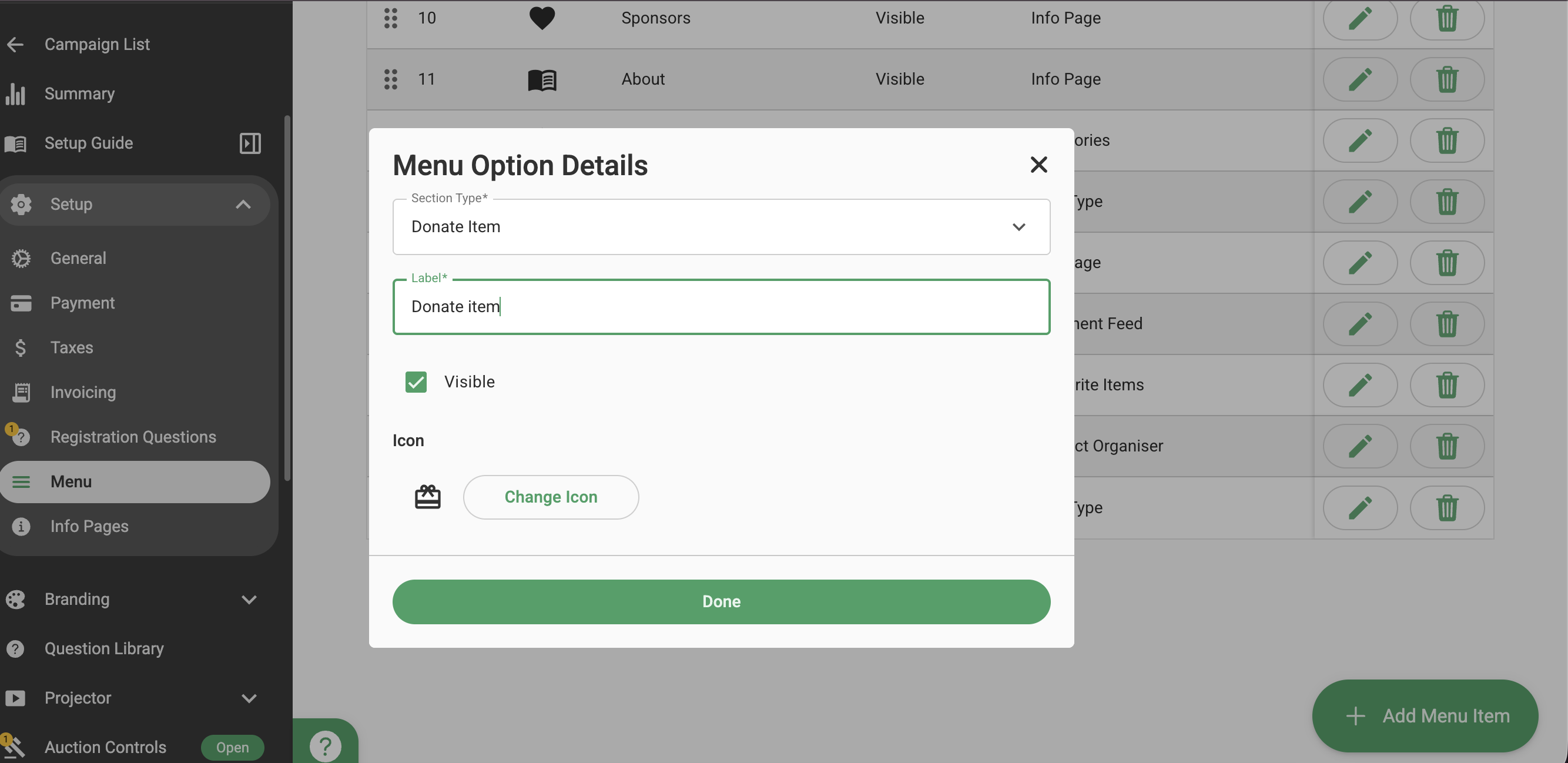
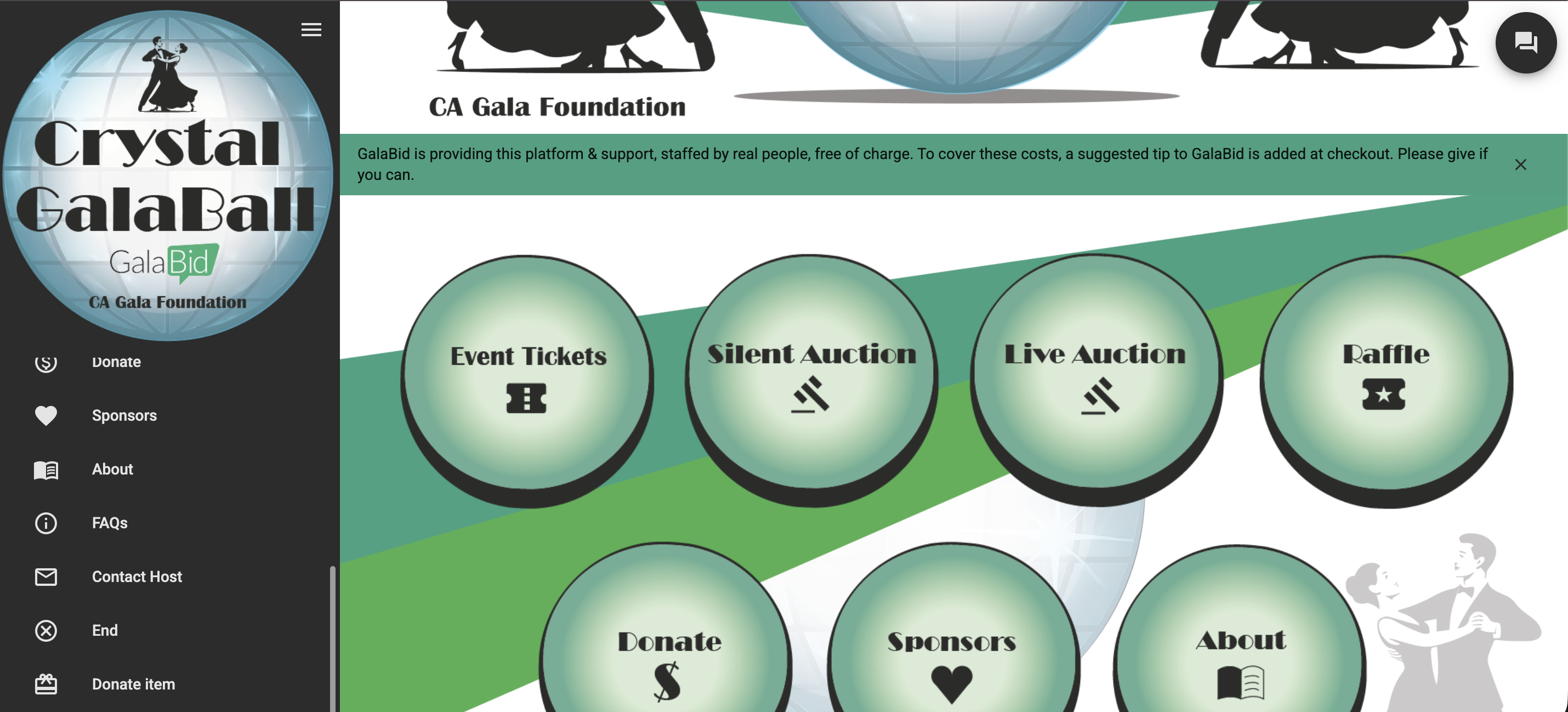
Once saved, the Donate Item option will appear in the left-hand menu of your campaign, allowing supporters to easily access the form and submit their items.
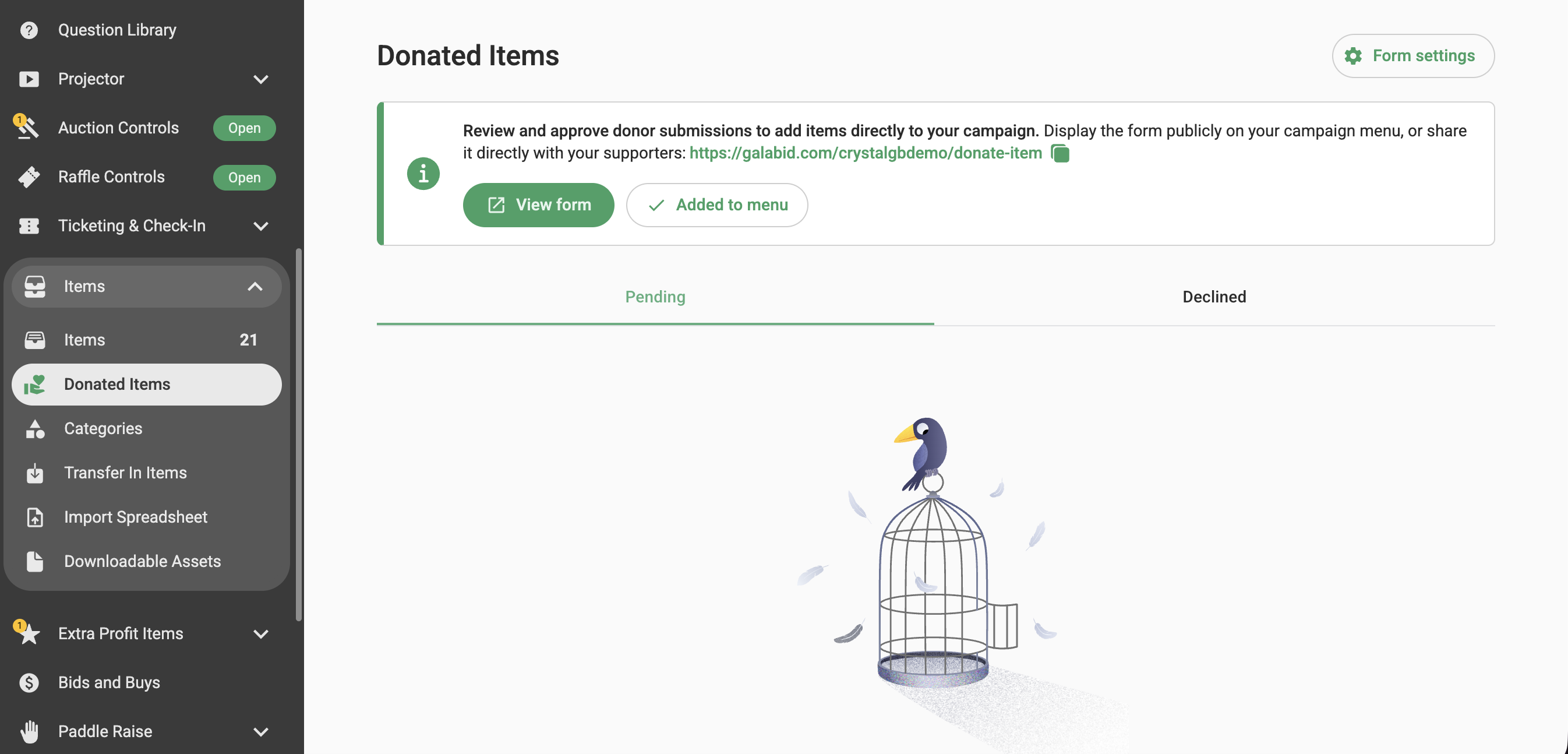
If you don't want to add the donation form to your campaign menu, you can share the direct link with your supporters instead. To find the link, go to Items > Donated Items and copy the link to share it directly with your supporters.
How Supporters Can Submit an Item?
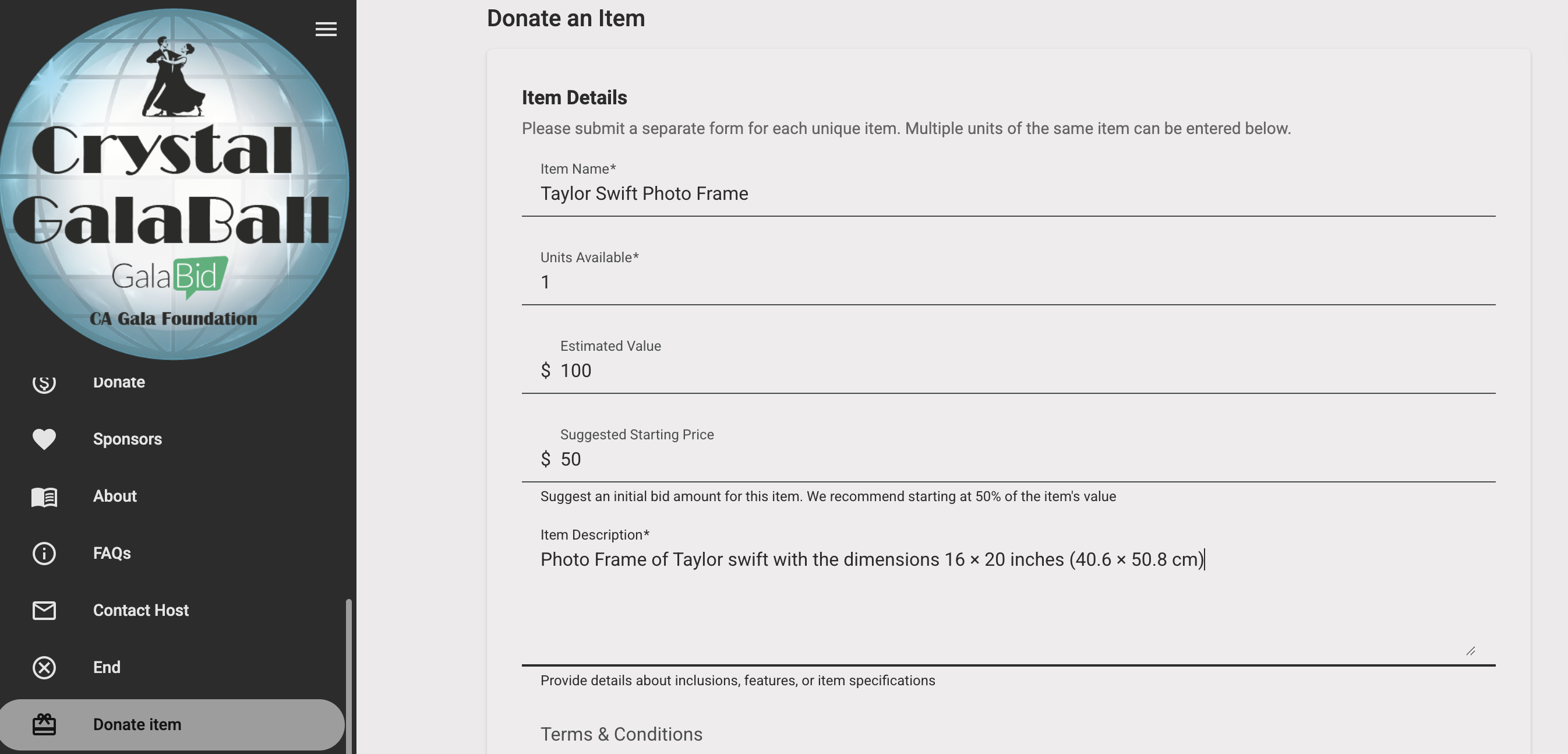
Supporters can click Donate Item from the left-hand campaign menu to open the donation form. They can then enter the required item details, including the item name, units available, estimated price, suggested starting price, item description, terms and conditions, and images.
Supporters can also add Collection Instructions to provide information about how the winner can collect or receive the item.
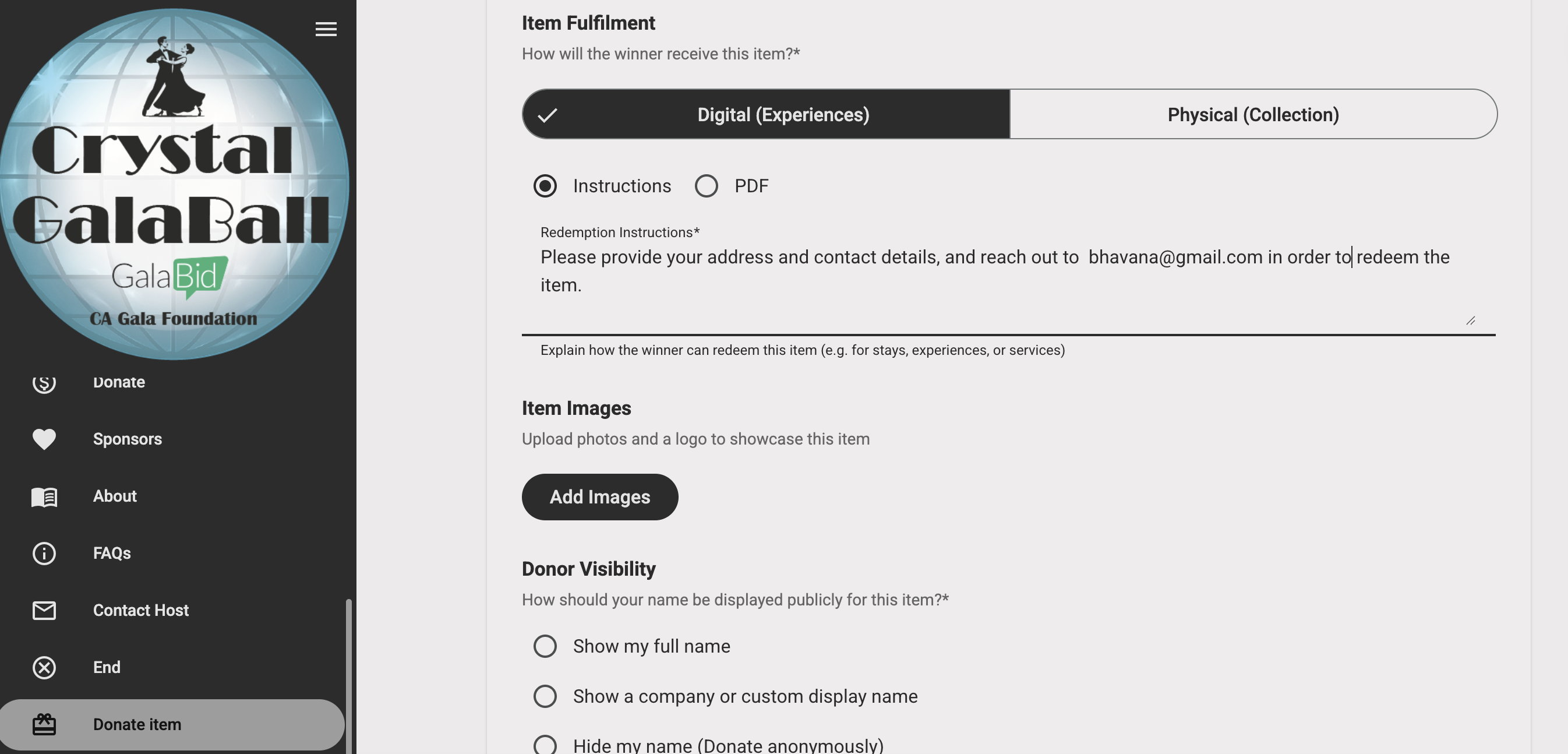
Once all the required information has been entered, supporters can click Submit to send the item to the campaign for review.
Campaign admins will then receive a notification and can review the submitted item by navigating to Items > Donated items before choosing to edit, approve, or decline it.
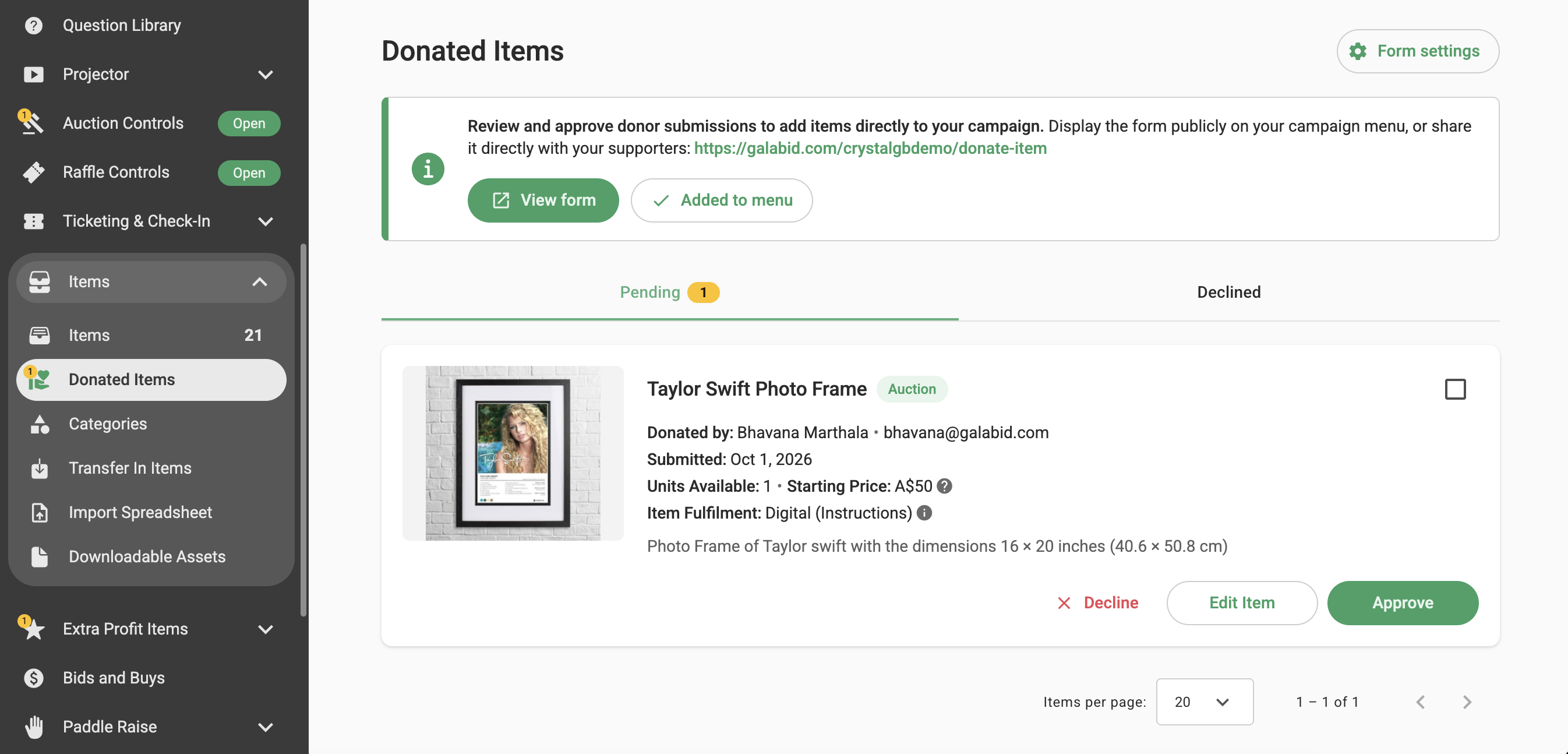
Submitted items are placed in a Pending queue, where campaign admins can review each submission and choose to edit, approve, or decline the item. When approving or declining an item, admins can also choose to send a customised notification message directly to the donor.

Once an item is approved, it is automatically added to the campaign’s item list as your regular items.
