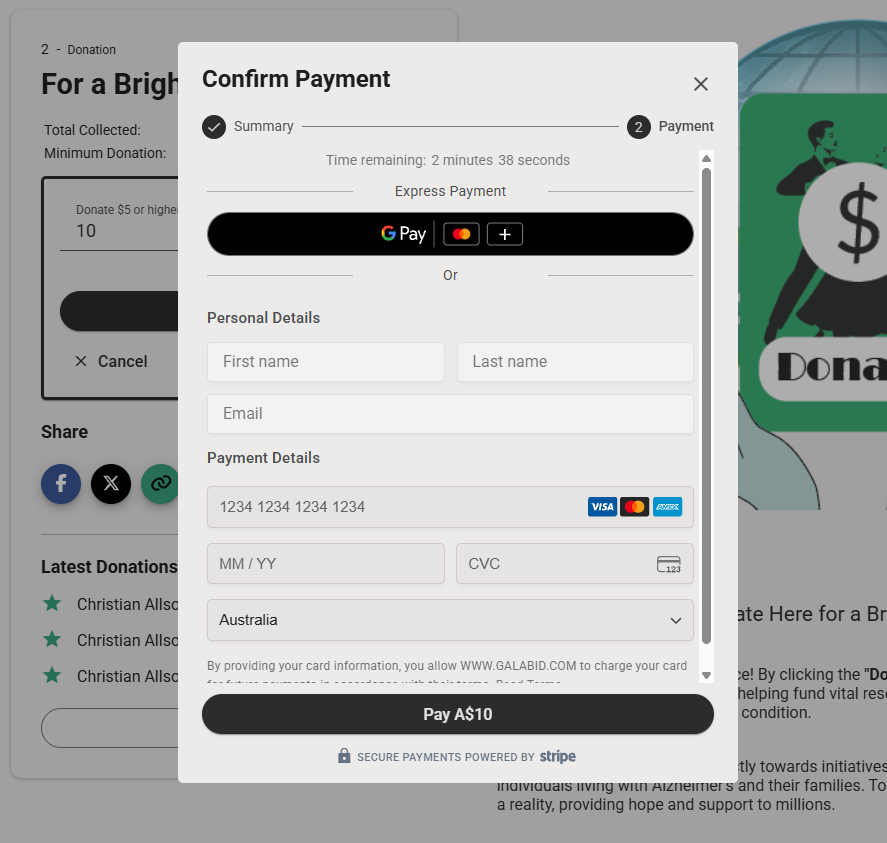
Can Participants Donate Without Registering?
Participants can donate through your campaign without the need to register for an account, here is how they can do this.
First ensure you have a 'Donation' item type setup on your campaign Follow This Article on Donation Setup
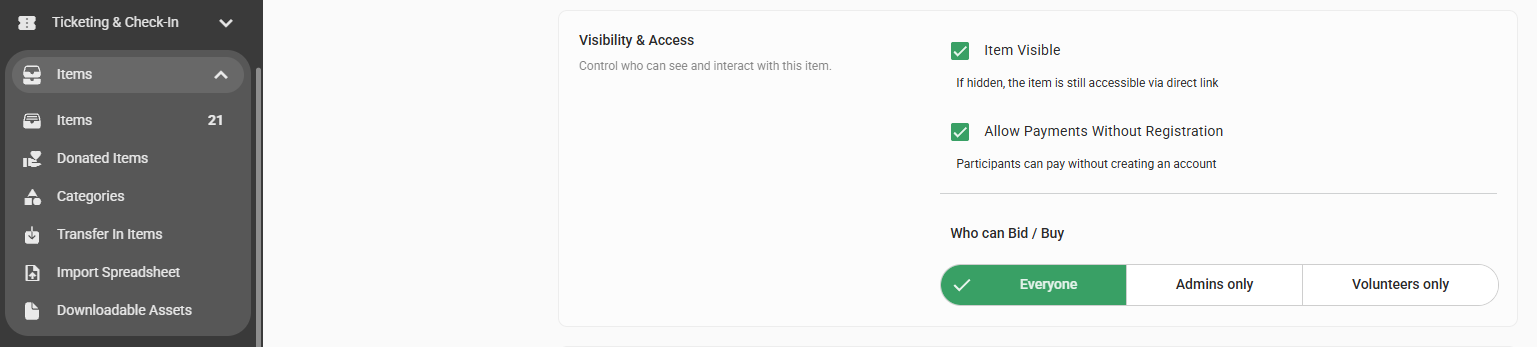
Edit your 'Donation' item and enable 'Allow Payments Without Registration' found under 'General Options' below the description and click 'Save' to finalise.
To make the donation, participants need to then access your campaign through your invitation URL or QR code and navigate to the donation page.
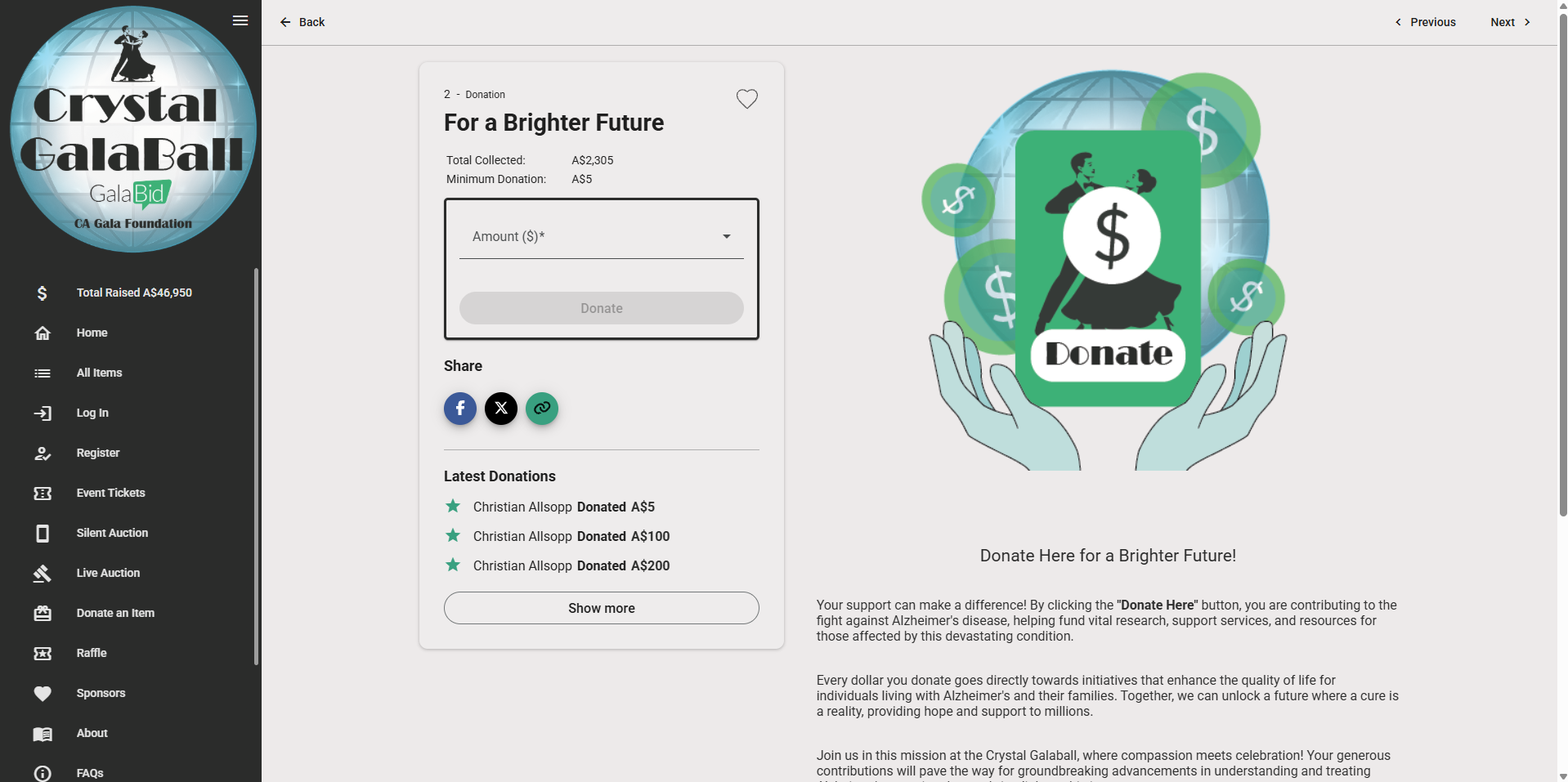
Next, they enter the amount they would like to give and select 'Donate' the popup will then appear for them to check the terms and conditions and opt in or out of their donation displaying anonymously.
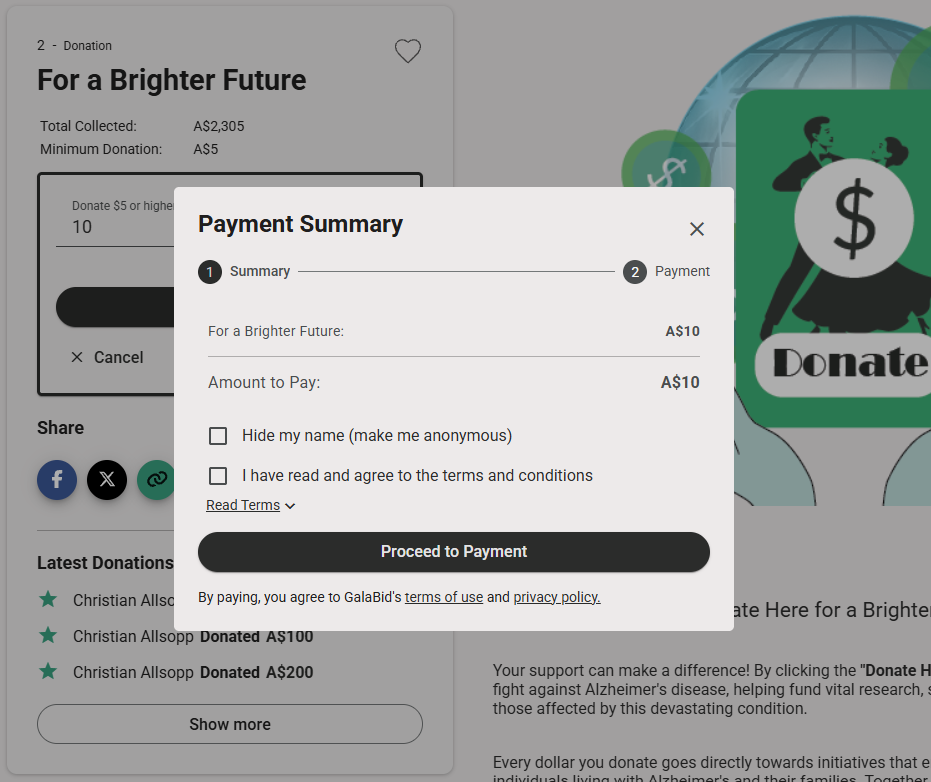
Finally, click 'Procced' and it will take them through to enter their payment details and finalise.