

How do I schedule a campaign start and end date?
This article includes closing an Auction, Raffle and Donation/Crowdfunding campaign types.
Auction
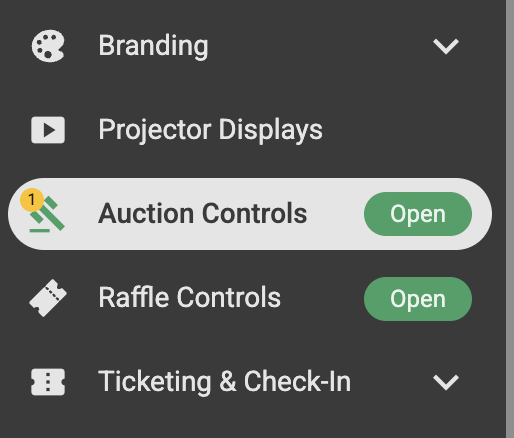
To control your auction and set an automatic Start and Close date navigate to the 'Auction Controls' panel.
Opening an Auction
In the 'Auction Controls' panel you can manually control your Auction by clicking 'Pause' 'Open' and 'Close' on the left hand side or your can set automatic start and close times.
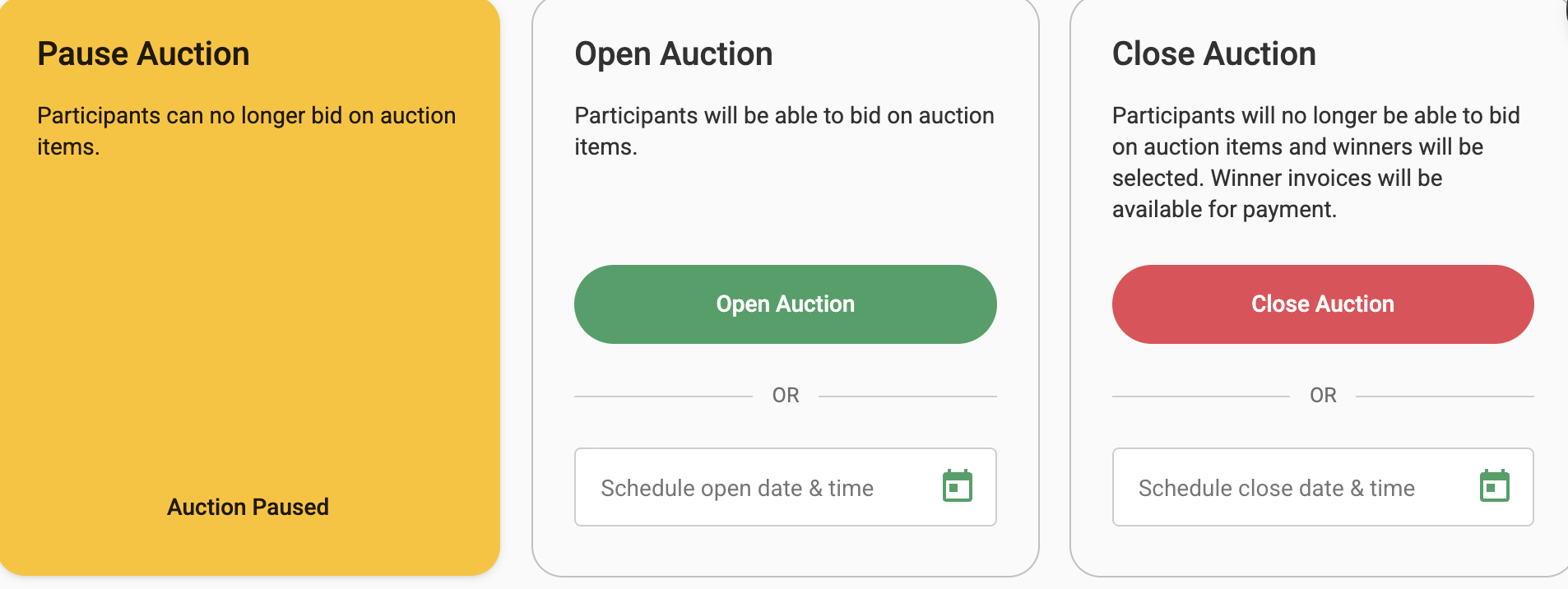
To set an automatic start date and time just click the calendar icon on the right-hand side and select your date and time and save it, once chosen your campaign will automatically open as per the set date and time.
Closing an Auction
To close the Auction automatically on a set date, enter the date and time with the help of calendar icon and save it.
Watch this video to see the process in action.
Opening a Raffle
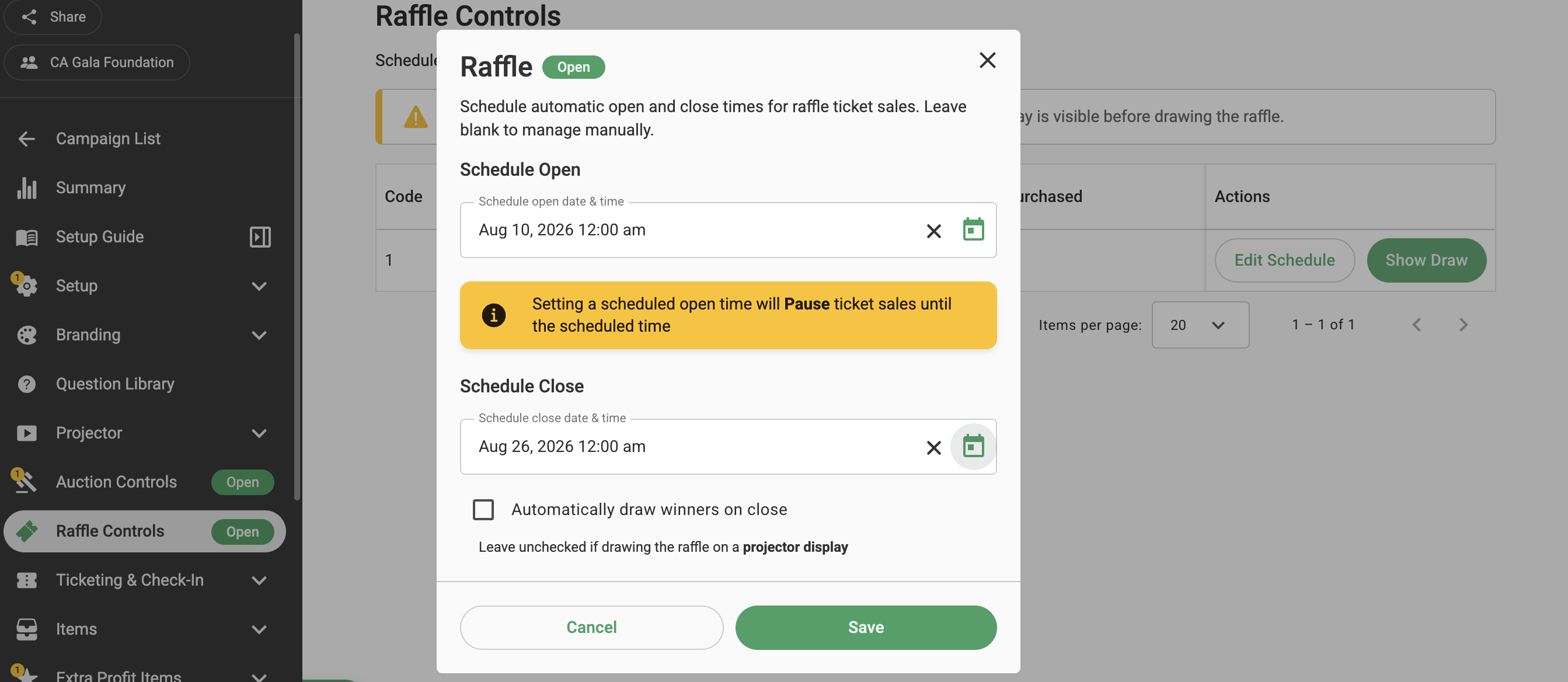
A raffle item is open once the raffle item(s) are created and Stripe is connected. To schedule automatic opening and closing times for individual raffle items, navigate to "Raffle Controls" and click "Edit Schedule" under Actions. Click the calendar icon to select the date and time for the raffle item to open and close, then click Apply to save the schedule. Click Save to update the changes.
The raffle item will automatically open and close at the scheduled times. You can either manually draw the winners or select the "Automatically draw winners on close" checkbox to have the winners drawn automatically once the raffle has closed.
Closing a Raffle
If you would like to manually close the raffle for ticket sales, go to the Raffle Controls panel in the left sidebar.

Click Show Raffle Draw, and then select Close for Draw. Once the raffle is closed, participants can no longer purchase raffle tickets.
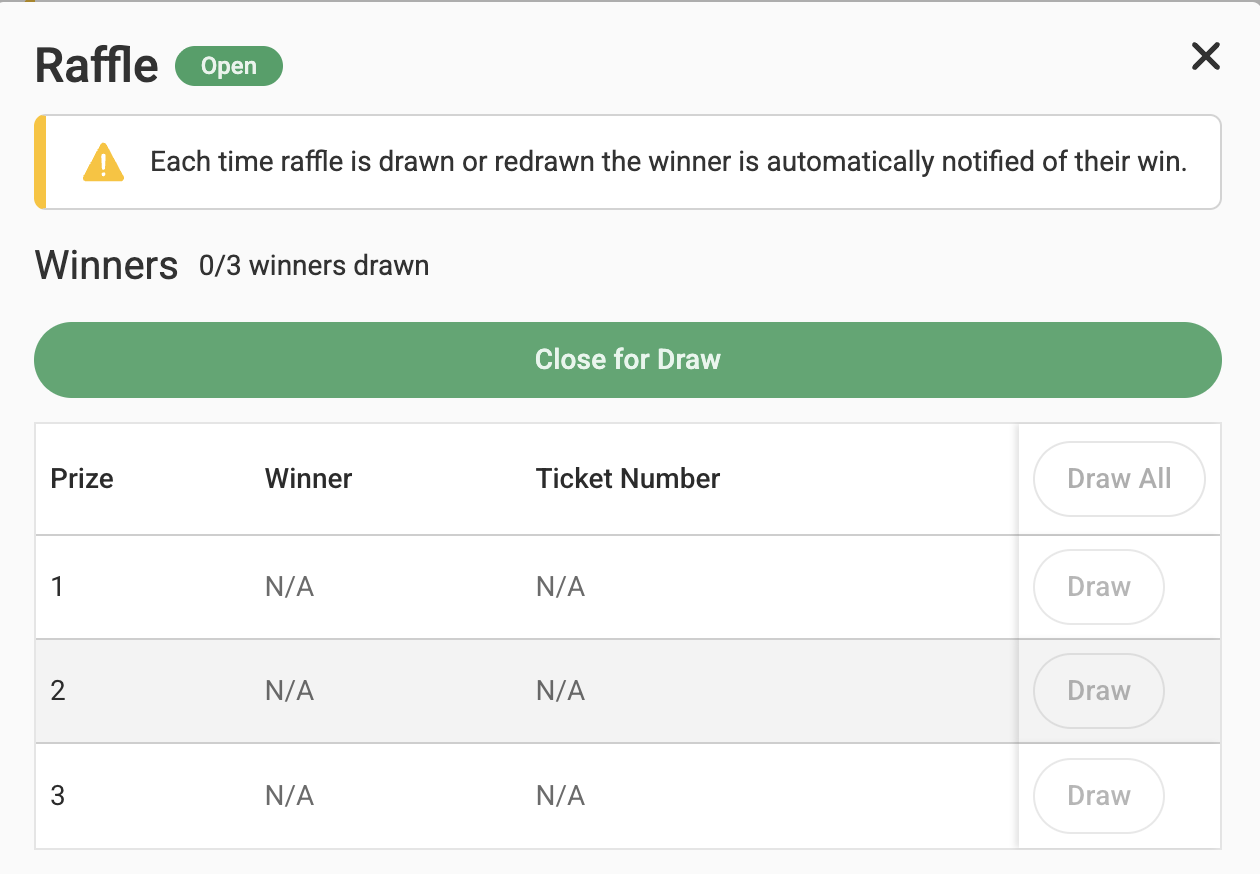
Note: Closing the raffle for the draw does not automatically select winners if the Automatically draw winners on close option is unchecked while scheduling the raffle timings. This action only closes the raffle for ticket sales.
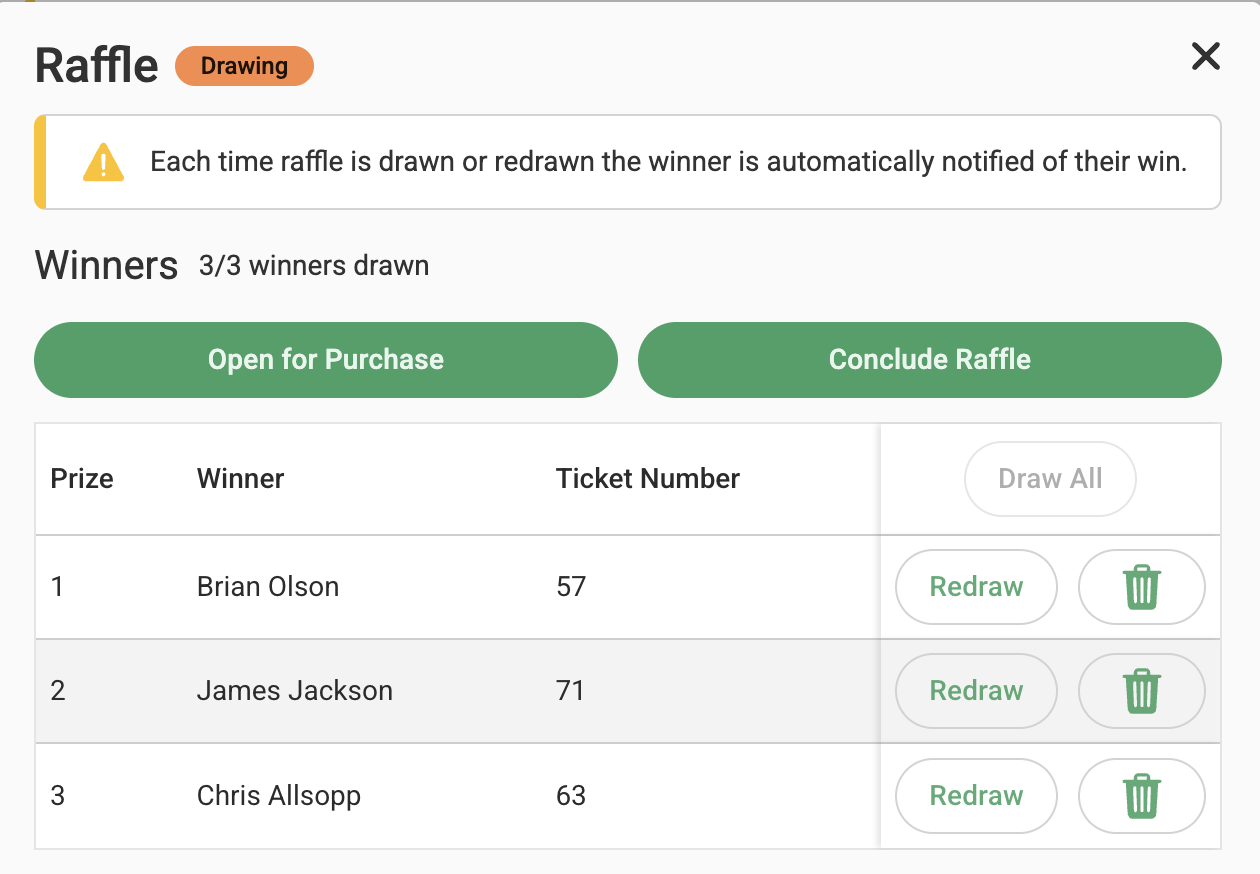
Once the raffle is closed, you can manually select winners by clicking Draw for an individual prize or Draw All to automatically draw winners for all prizes. Once all winners have been drawn, you can click Conclude Raffle to complete the raffle.
Opening a Donation/Crowdfunding campaign
A crowdfunding campaign is open once the crowdfunding item is created and Stripe is connected.
Closing a Donation/Crowdfunding campaign
A crowdfunding campaign can remain open for up to 12 months on GalaBid. To remove the campaign before this time email helpdesk@galabid.com
