

How do I use the Bulk Update Feature?
The bulk update feature on the GalaBid platform is a quick and easy way to edit multiple items at once.
You can find the bulk update feature under the items tab. The first step is to select the items you wish to update, you can select the items by ticking the white box found to the left of the item or you can select them all by clicking the white box at the top next to 'Order' and then click the pencil icon at the bottom of the page.
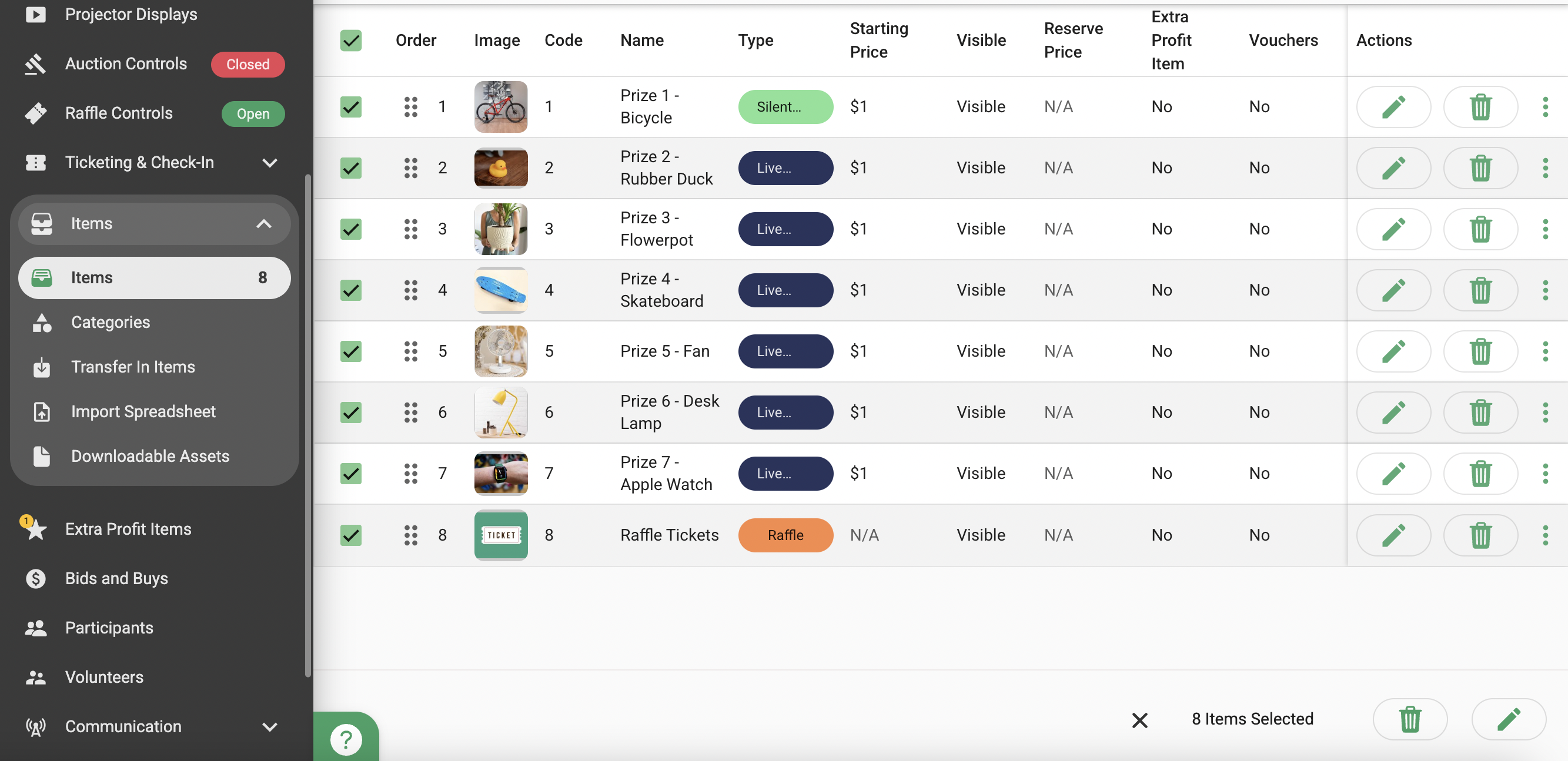
This option will then take you to the bulk editing page, here you can search for the field(s) which you would like to update.
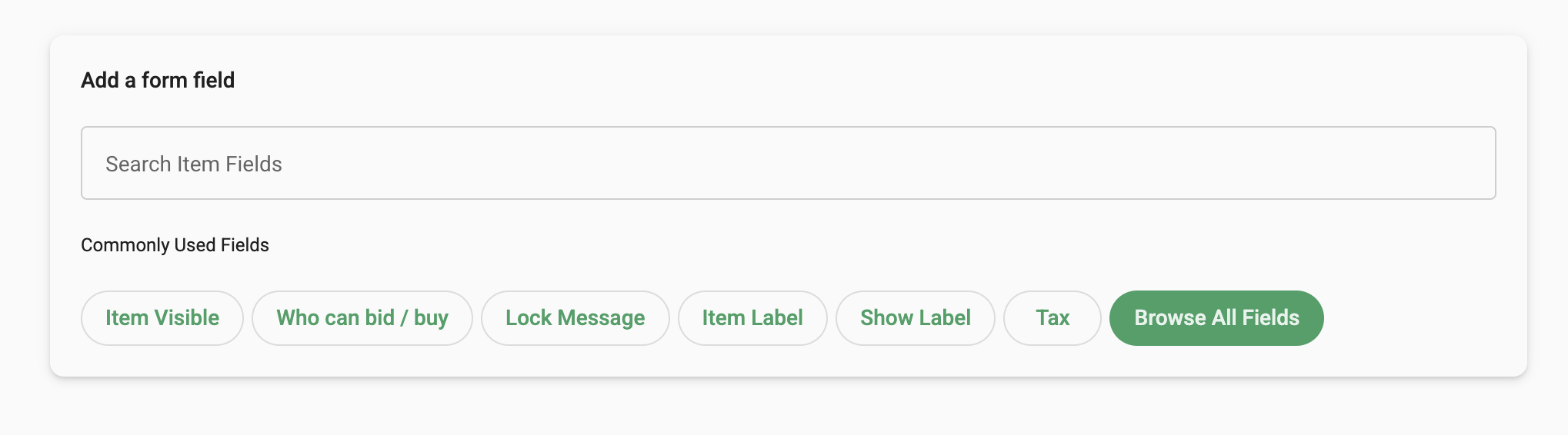
Examples
Below are a few examples of how to use the bulk update feature, this first screenshot shows how to change the visibility to hidden on an item using the bulk update feature this will then affect all selected items.
Hide Bidders
If you are using the platform to run an auction you may want to hide the winning bidders on all your auction items this can be done using the bulk update.

Vouchers
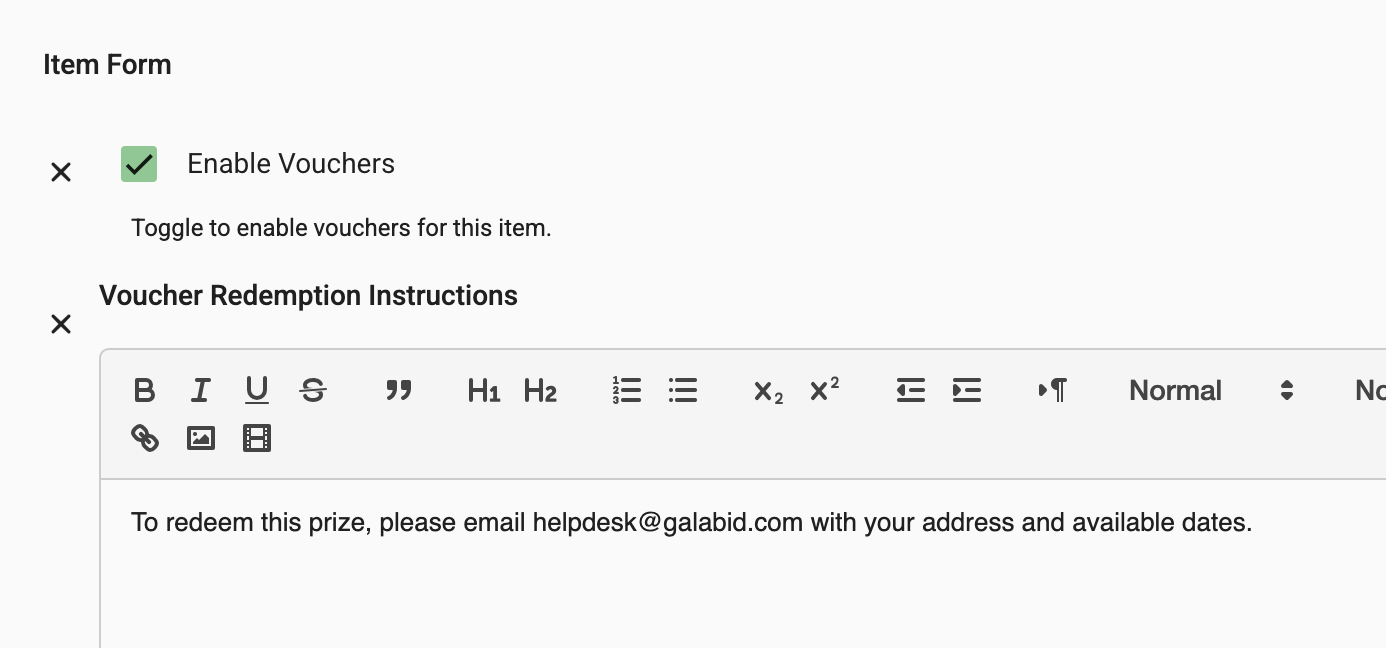
If you you would like vouchers enabled on all your auction items, the bulk update feature is a good way to do this quickly without editing each individual item, for more information on how to setup vouchers check out this article.
Footnote
Item descriptions cannot be edited using our bulk update feature however you can use the footnote field to add information that is required for all your items.
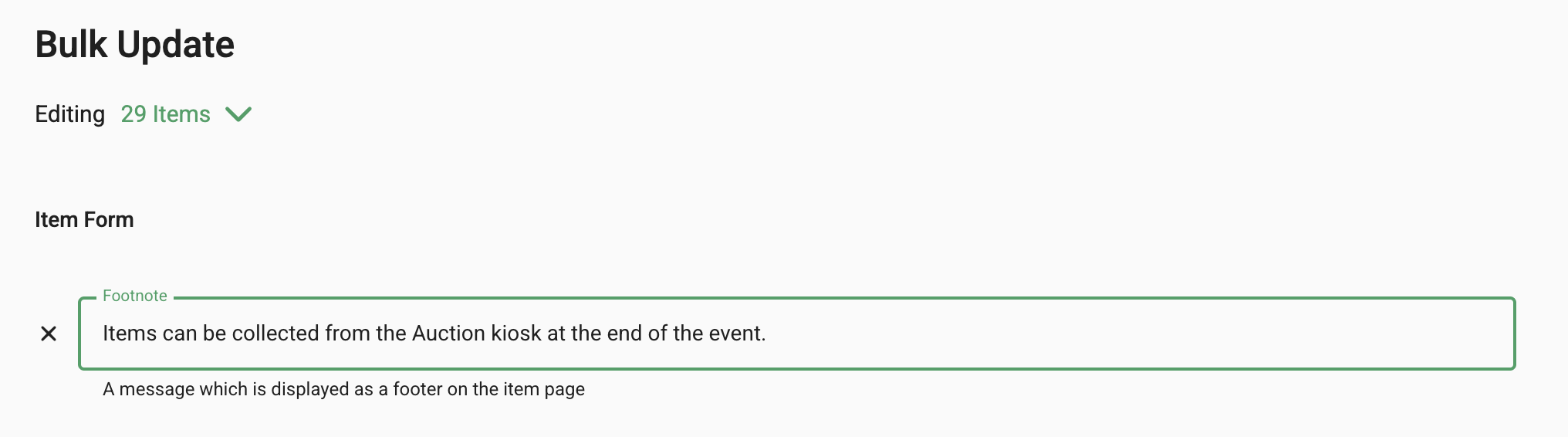
Once added it will show beneath your item description.

