

How to add Ticketing and Registration Questions to the Question Library
Difference Between the Ticketing and Registration Forms
The Registration Form and Ticketing Form are used to collect information from different types of participants, such as ticket holders attending the event and participants who take part in fundraising activities without holding an event ticket.
Ticketing Form
The Ticketing Form is displayed when a ticket purchaser assigns an event ticket to a ticket holder. It collects information specifically about the ticket holder.
For example, you can use Ticketing Form questions to collect the ticket holder’s dietary requirements, seating preferences, or other information needed for event planning.
When are Ticketing Form questions displayed?
Ticketing Form questions are displayed when a ticket is assigned to the ticket holder. Any required questions that are not answered during assignment can be completed by the ticket holder when they claim their ticket.
Registration Form
The Registration Form collects information from participants when they register for your campaign. Participants are prompted to complete the Registration Form before they place a bid, make a donation, purchase a raffle ticket or otherwise take part in your fundraising activities.
For example, an Address question is sometimes added to the Registration Form if auction items need to be shipped to winners.
Here is a tutorial video on how question library works on the GalaBid platform.
Question Library
The Question Library is where you can manage all the Registration and Ticketing Questions. When you create a question, you can link it to either the Registration Form or Ticketing Form, depending on the information you want to collect from participants.
The Question Library also shows which form each question is linked to. Once a question has been answered, participants will not be asked to provide the same information again where the question is applicable.
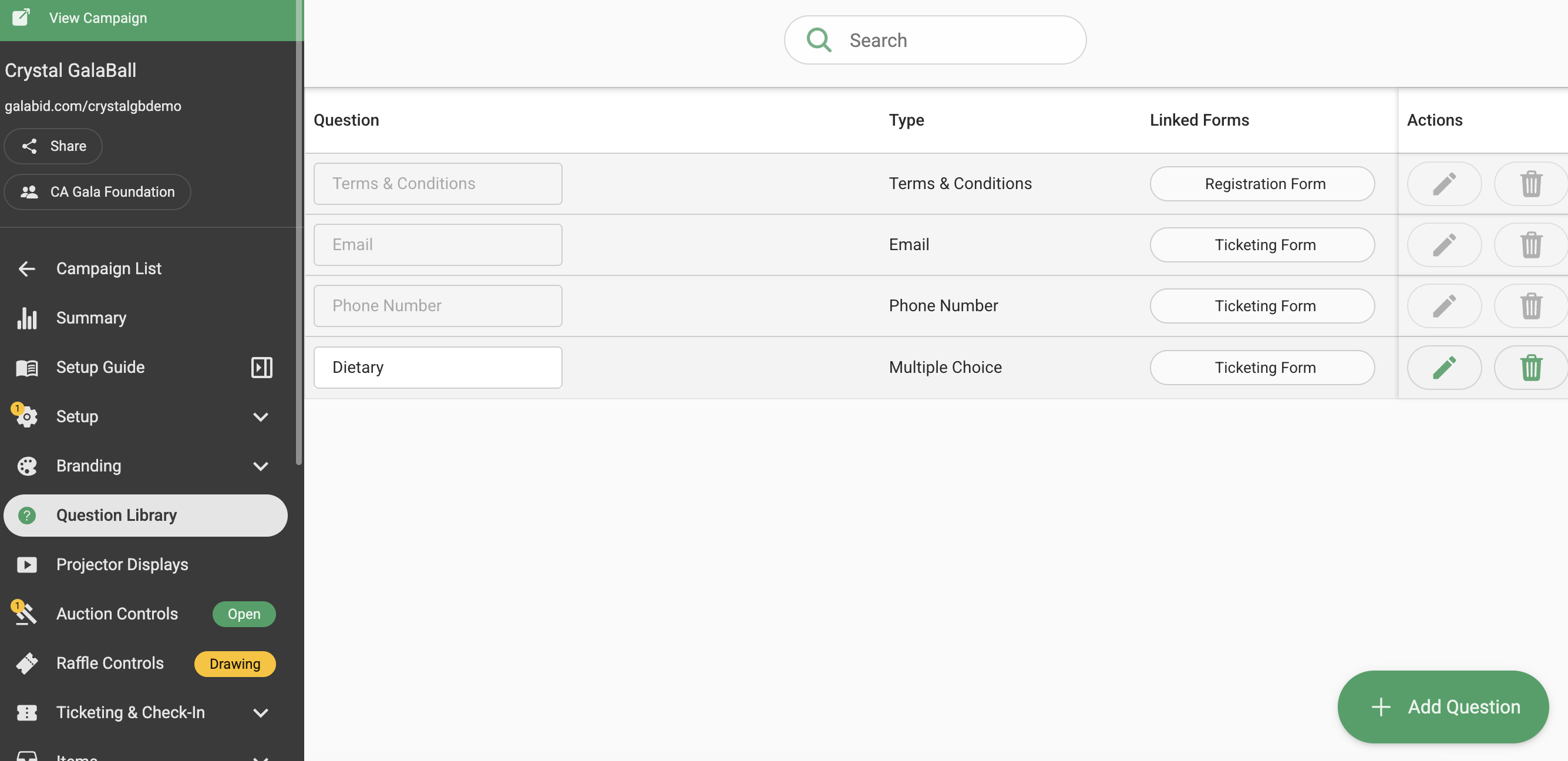
Example:-
For example, you can add Address as a question to collect participants’ addresses. To do this click Add Question on the bottom right to choose from the available questions. When adding a question, you can choose to link it to a form immediately or leave it unlinked and connect it to a form later. In this example, we'll link the Address question to the Registration Form.
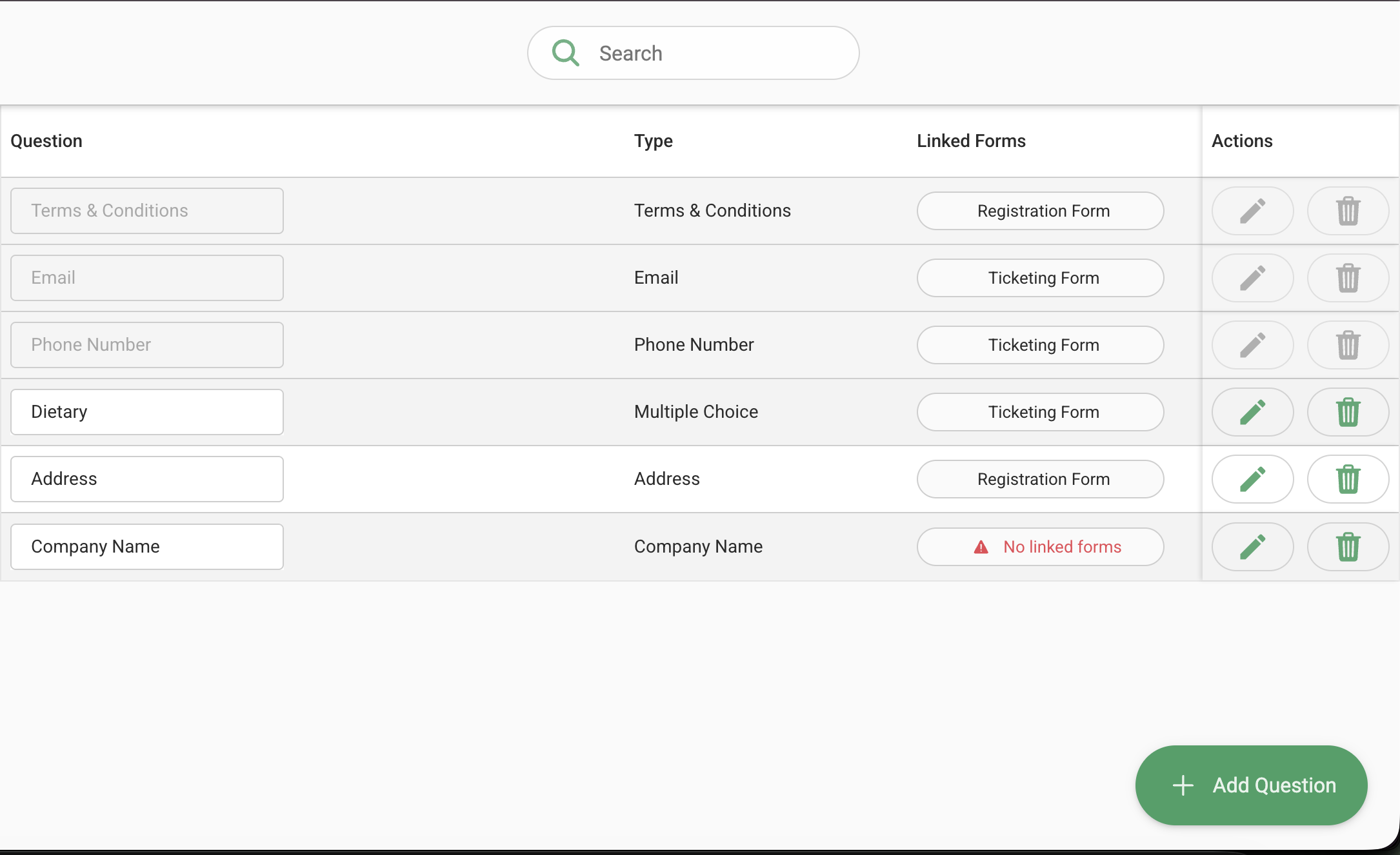
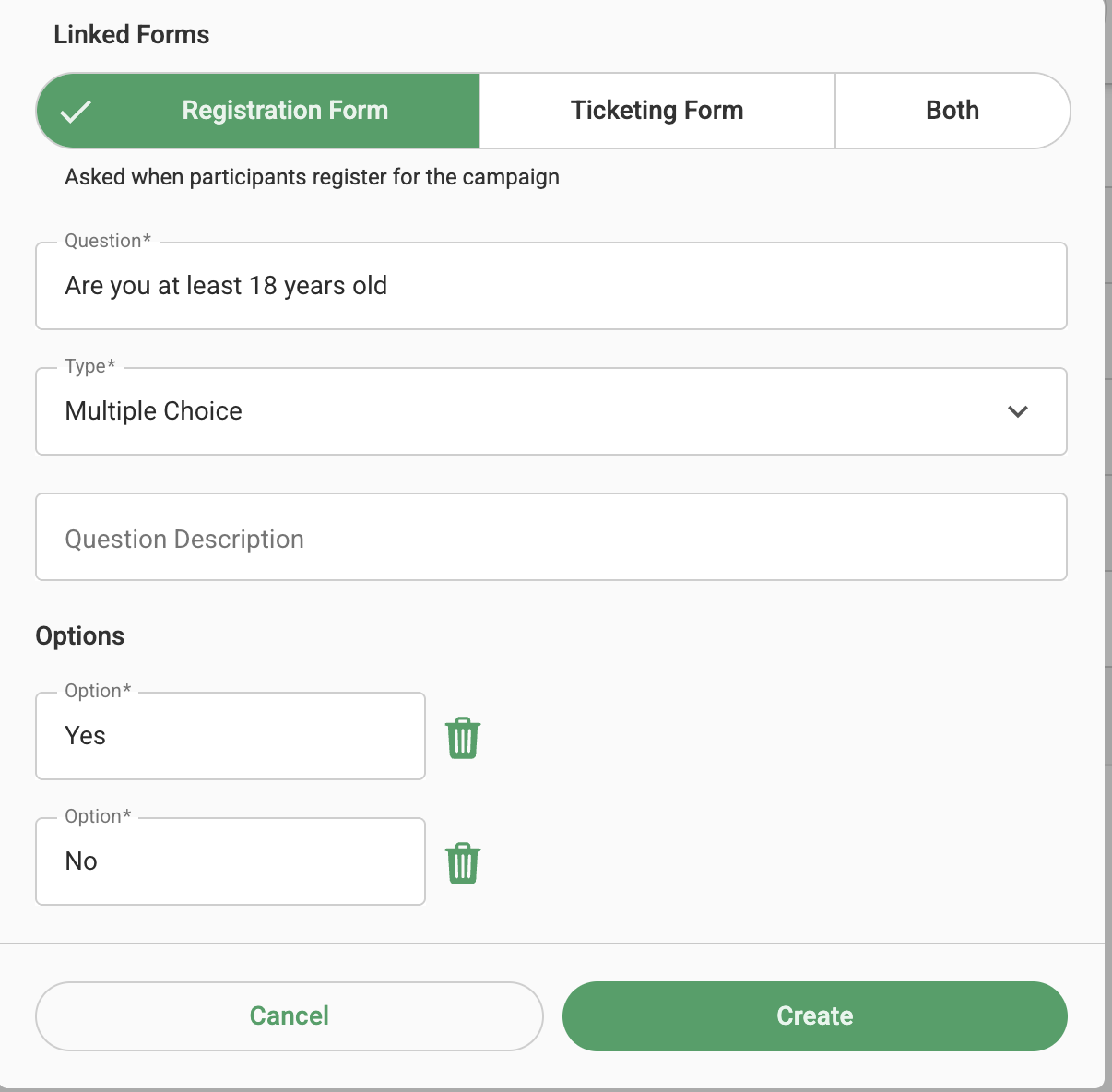
You can also enter your own question by typing in the Add Question field.
.png)
Next, fill in the required details, such as the Form, Question Type, Options and Description, if needed. Once you’ve entered all the details, click Create to add the question to the Question Library. You can also remove any questions from the library whenever they are no longer required.
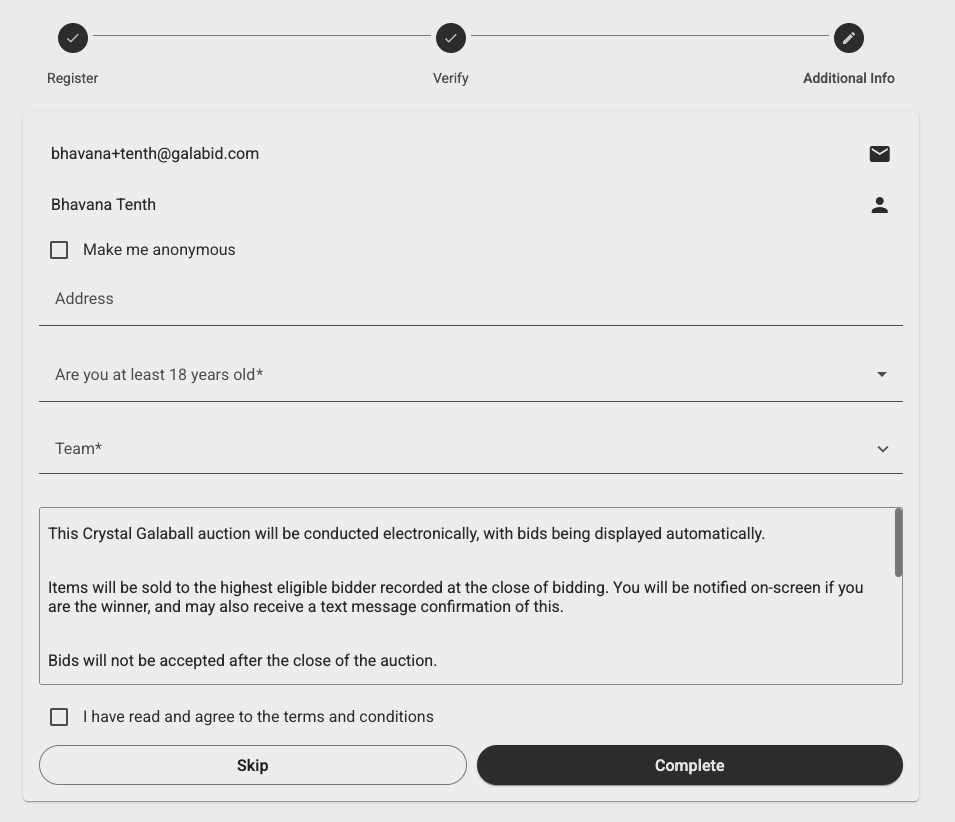
How the Registration Form Looks
Questions linked to the Registration Form are shown to participants during the registration process. After participants click Register on your campaign page and complete the verification step, they will be asked to answer the required registration questions in the additional info section.
How the Ticketing Form Looks
Questions linked to the Ticketing Form appear when you assign a ticket to a guest. To assign a ticket, go to Ticketing & Check-In in the dashboard and open the Guests tab. Locate the guest you want to assign a ticket to, click the three dots (⋮) next to their name, and select Assign.
During the ticket assignment process, you will be prompted to answer the Ticketing Form questions. The person assigning the ticket may not know the answers to all the Ticketing Form questions. Therefore, required questions can be skipped during ticket assignment.
Once the ticket is assigned, the ticket holder will receive an email invitation to claim their ticket. During the claim process, they will be required to complete any mandatory Ticketing Form questions before they can complete claiming their ticket.
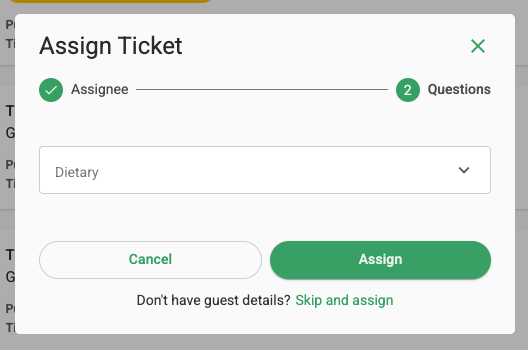
Once you add questions to the Question Library and link them to the relevant forms, they will automatically appear in their respective tabs:
1. Registration Questions under Setup
2.Ticketing Questions under Ticketing & Check-in
To make a question mandatory to be answered, simply turn it on under the Required column in the relevant tab.
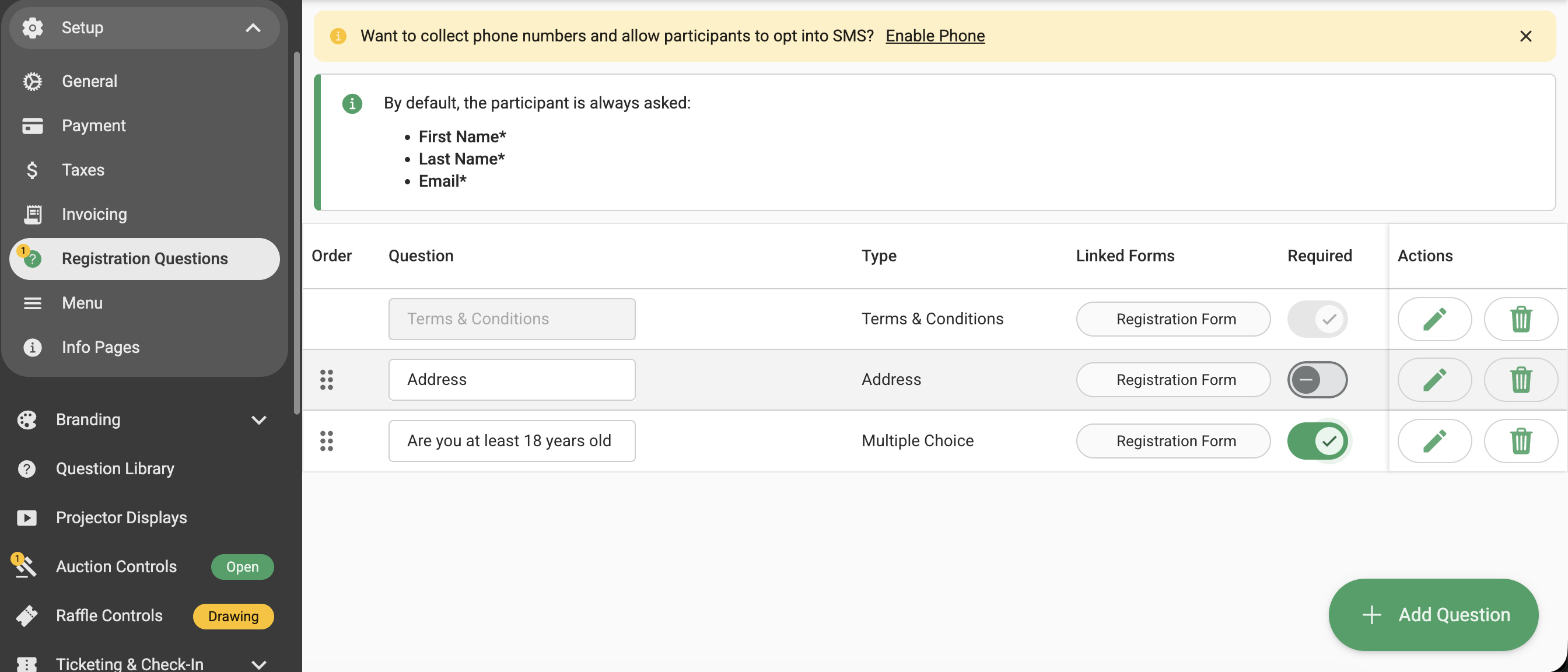
The Question Library is the main place where all Registration and Ticketing Questions are managed. If you delete a question from the Question Library, it will also be removed from any forms or tabs it was linked to.
Note: Manage your questions from the Question Library to keep them organised and ensure they are correctly linked to the appropriate forms.
