

What Steps Should Be Followed Before Reopening a Closed Auction?
Reopening a closed auction can have significant consequences for existing winning bids, participant notifications and payments. Only reopen an auction if absolutely necessary. Before doing so, you must review which participants have already been notified as winners and whether any payments have been made for auction items.
What happens when you reopen a closed auction?
When an auction is closed, all winning participants receive winner notifications and invoices, prompting them to make payment.
If the auction is subsequently reopened and these items remain available for bidding, other participants may place new bids on them.
When the auction is closed for a second time, new winners may be selected. This can result in multiple participants receiving winning notifications and invoices for the same item. The original winner may already have received an invoice or even paid for the item.
This can create confusion for participants and complications for campaign administrators, particularly when payments have already been processed.
Before reopening your auction
Complete the following checks before reopening your auction.
1. Review existing winners
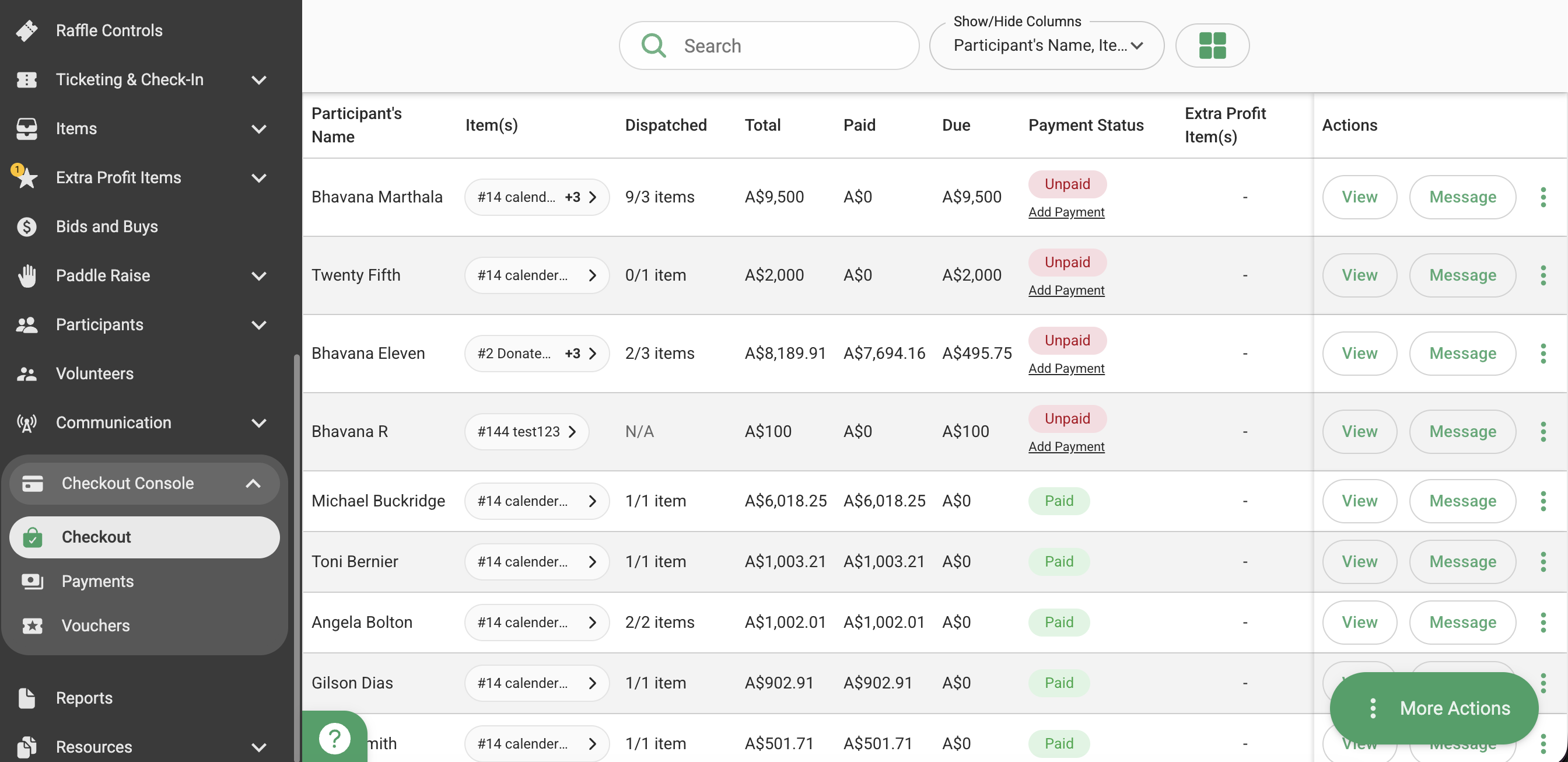
Navigate to Checkout Console > Checkout to view the winning participants for individual items.
You can also download the Summary Report by navigating to Reports > Summary Report to review the winners across all auction items.
Make a note of every item with an existing winning bid, regardless of whether the original winner has paid.
2. Check payment status
You can check the payment status of winning items directly in Checkout Console > Checkout. Alternatively, download the Invoices Report to review which winning invoices have been paid and which remain unpaid.
Make a note of all payments already received so you can decide how to manage each item.
3. Decide how to manage each winning item
Once you have reviewed the existing winners and payment status, decide what should happen to each item before reopening the auction.
Depending on your circumstances, consider the following:
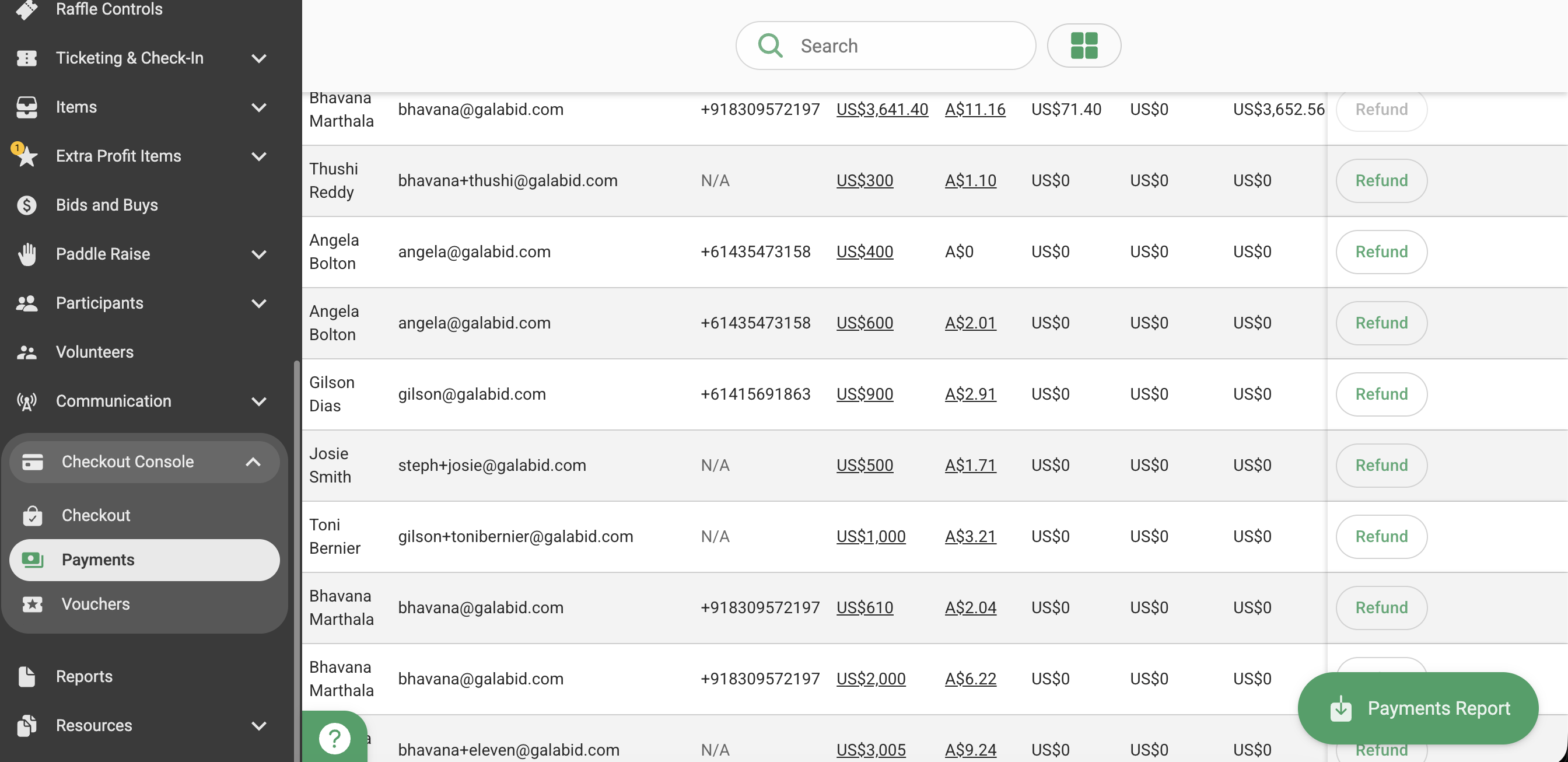
1. If you want to make a paid item available for bidding again: Refund the original winner's payment through the "Payments" tab. Communicate the change to the original winner before making the item available again.
2. If you want the original winner to retain a paid item: Lock the item to prevent further bids. You do not need to make it available for bidding again.
3. If the original winner has not paid: Decide whether they should retain the item or make it available for bidding again. If retaining it, lock the item to prevent further bids. If making it available again, communicate the change to the original winner.
4. Hide items where appropriate: You can choose to hide locked items if you do not want them to remain visible to participants.
Read this article to learn "How to hide and lock items"
Note: Locking an item prevents further bids, while hiding an item removes it from participant view. These are separate actions, so decide which is appropriate.
Important reminder
Reopening an auction does not automatically cancel previous winning bids, invoices or winner notifications.
Make sure you have reviewed all existing winners, checked payment statuses and decided how to manage each item before reopening. Taking these steps will help prevent duplicate winner notifications, multiple invoices for the same item and unnecessary confusion for participants.
