

How does the Segment Notifications work?
This article explains how to send notifications to a filtered list of participants. For information on sending notifications to all participants, read this article - How does the Communications Module work?
Sending Segment Notifications
Segment notifications allow you to send messages to a specific group of recipients rather than your entire audience. This is useful when you want to target participants based on predefined criteria.
Here is a tutorial video on how the segment notifications work on the GalaBid platform.
To send a segment notification, select "Filtered" as the recipient type in the "Recipients" section. If you want to use a pre-built template, click "Select Existing" and choose the appropriate segment from the list that best suits your requirements.
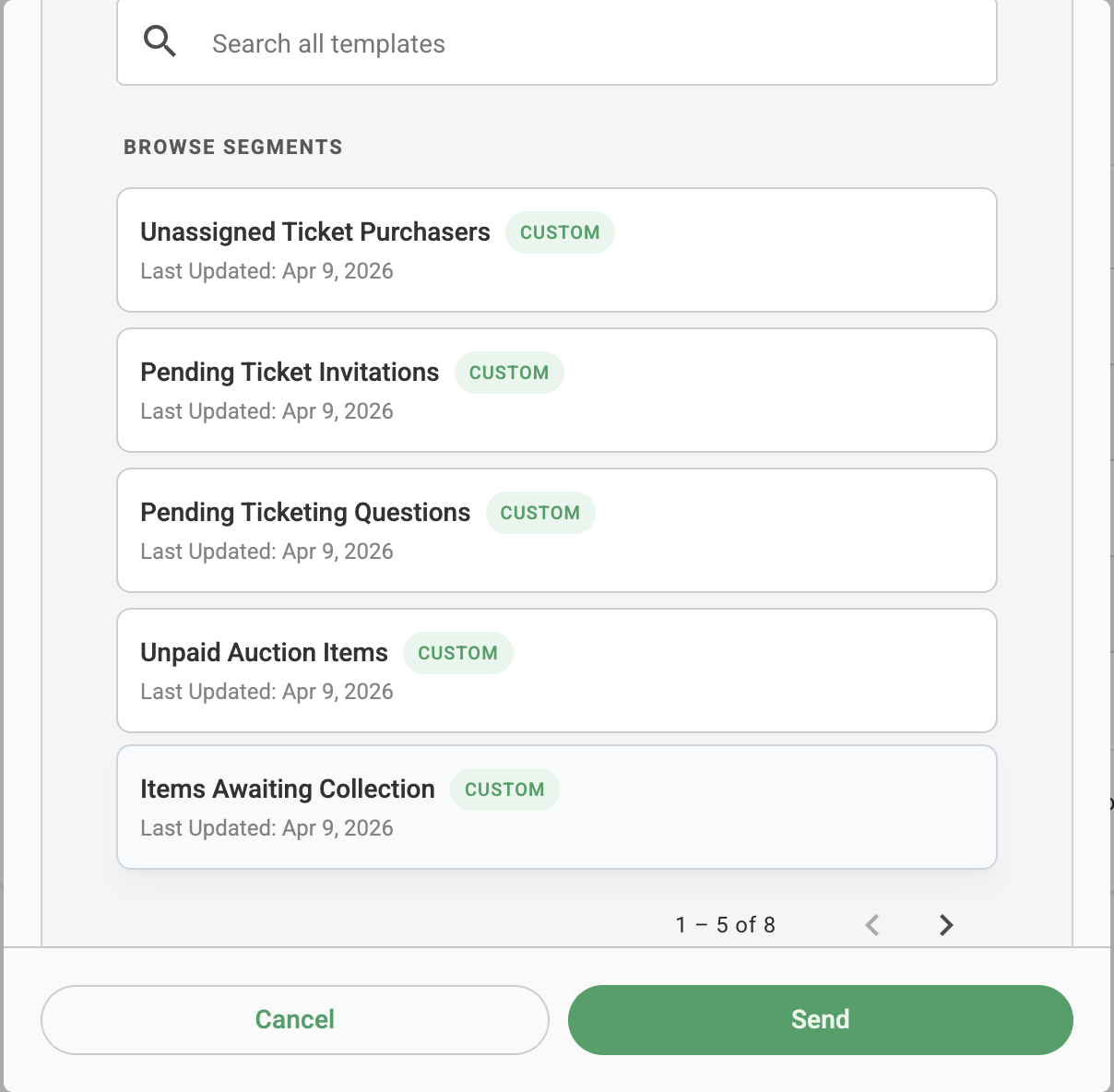
You can add filters based on your requirements to target a specific group of users. Scroll down to add or remove filters as needed. Use the AND or OR operators to define how the filters should be combined. This allows you to create a segment that accurately matches the audience you want to send the notification to.
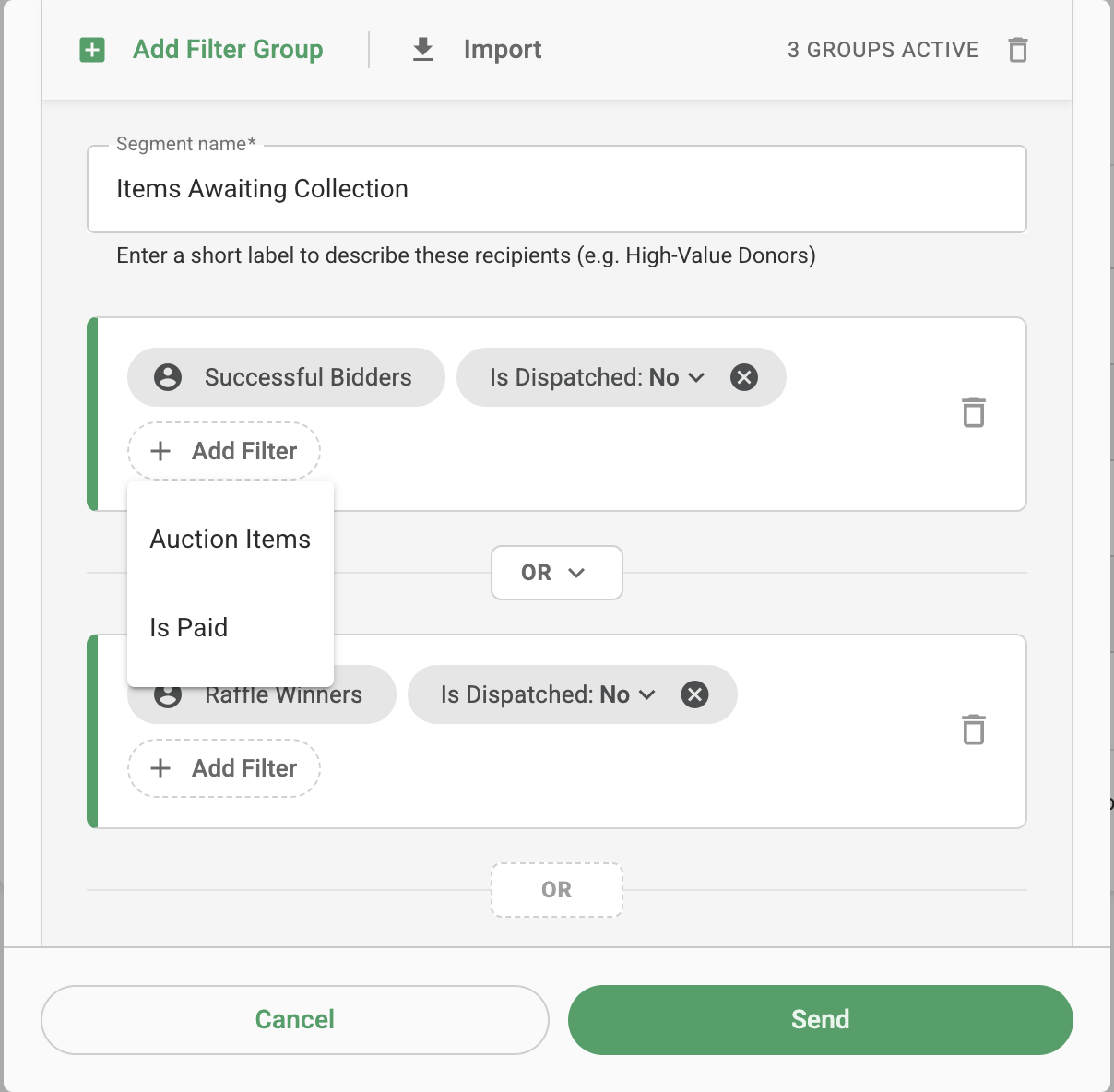
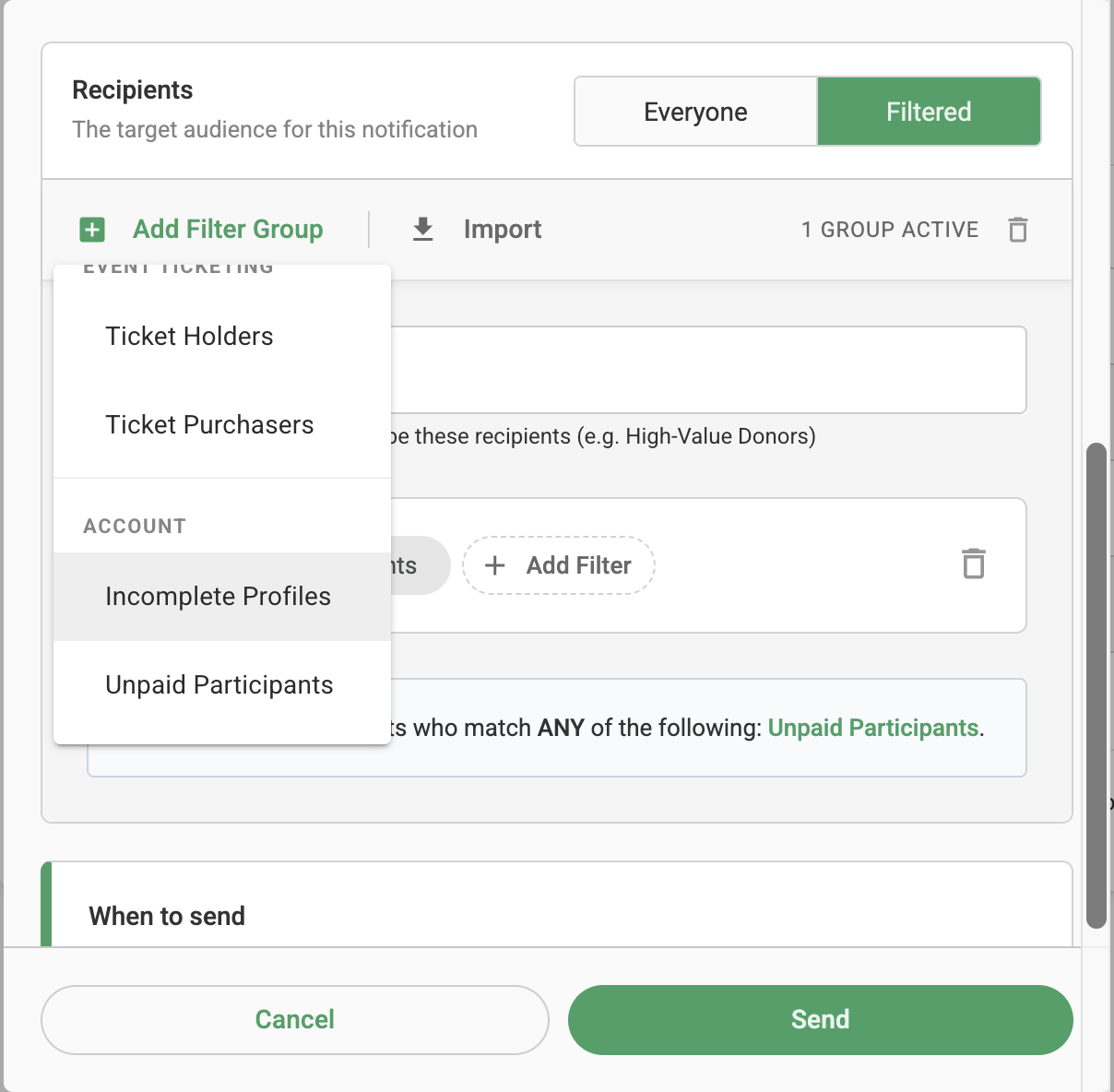
If you want to create your own filter template, select "Start from Scratch". Click "Add Filter Group" on the left-hand side and choose the filters that define the audience you want to send the notification to. You can also add sub-filters to further refine your audience, making it easier to target notifications to specific groups of users based on your requirements.
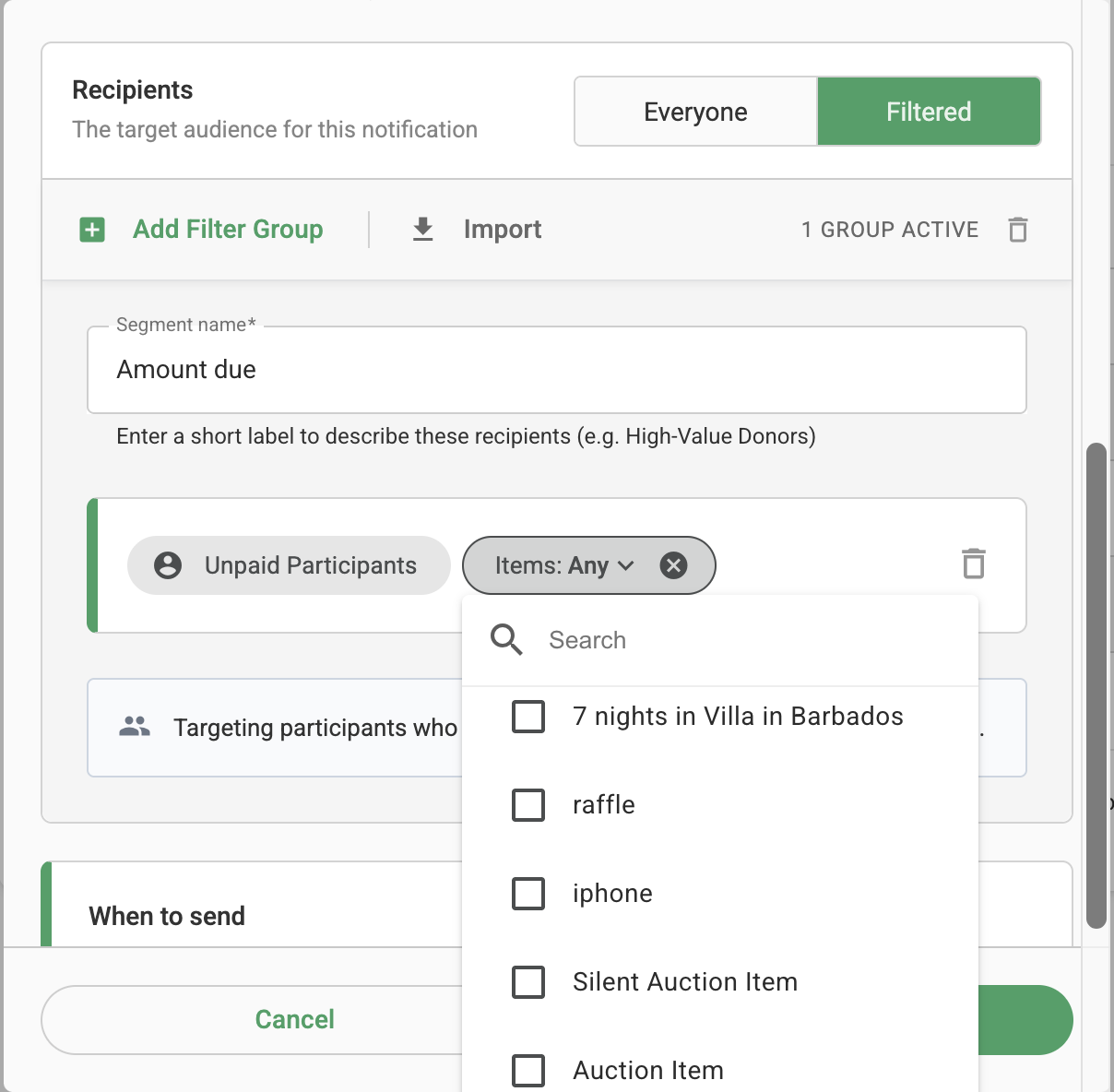
You can also choose to send a notification to users associated with a specific item. Simply select the desired item when configuring the recipient filters to ensure the notification is sent only to users associated with that item.
Once all the filters have been configured according to your requirements, click Send to deliver the notification only to the users who match the selected segment. If you plan to use the same audience again in the future, you can save the filter configuration as a template, allowing you to quickly select it when sending future notifications.
Example: Requesting Ticketing Question Responses After Tickets Are Purchased
If you added ticketing questions after some tickets had already been purchased, you can send a notification to guests who still need to complete their required ticketing questions.
Go to Communication > Notifications > New Notification.
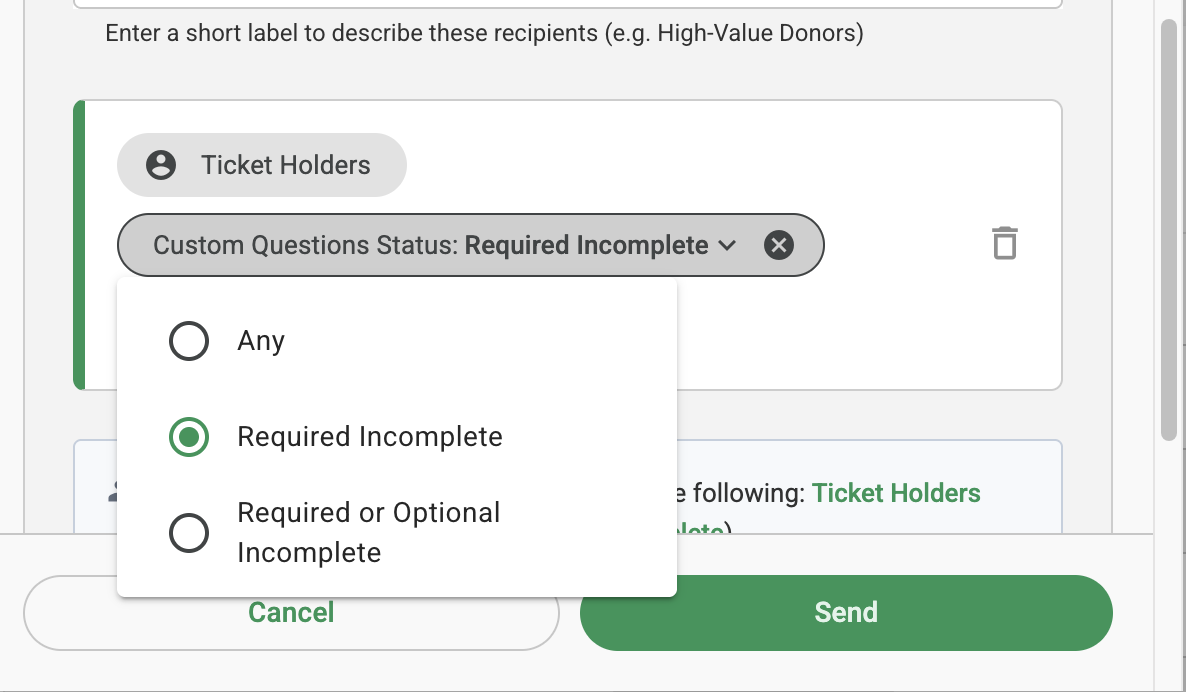
Under Recipients, select Filtered, then select Select Existing and choose the Pending Ticket Questions segment. This will target guests who have not completed all required ticketing questions.
If you also want to include guests who have not answered optional questions, you can update the filters in the segment to include those questions.
Note: Notifications can only be sent to ticket purchasers or accepted guests. Invited ticket holders cannot receive notifications until they have accepted their ticket invitation.
In the message, you can include a direct link to the guest's My Account > Event Tickets page:
https://app.galabid.com/<urlname>/account/event-tickets
Replace (urlname) with the campaign's URL name.

When guests open the link, they will be prompted to log in if they are not already logged in. They can then select More Actions (⋮) > Edit Guest to update their ticketing question responses.
If a guest has multiple assigned tickets, they will need to update the responses for each ticket individually.
