

Displaying raffle prizes individually
Campaign Set up for Separate Raffle Prize Display
Live Auction items are used for display purposes and the labelling can be edited to make these items suitable for raffle prize display. This is an alternative to the standard, most commonly used raffle set up.
1) In Items > Create Item, set up a live auction item for each raffle prize.
2) In addition, set up a raffle item to sell the raffle tickets.
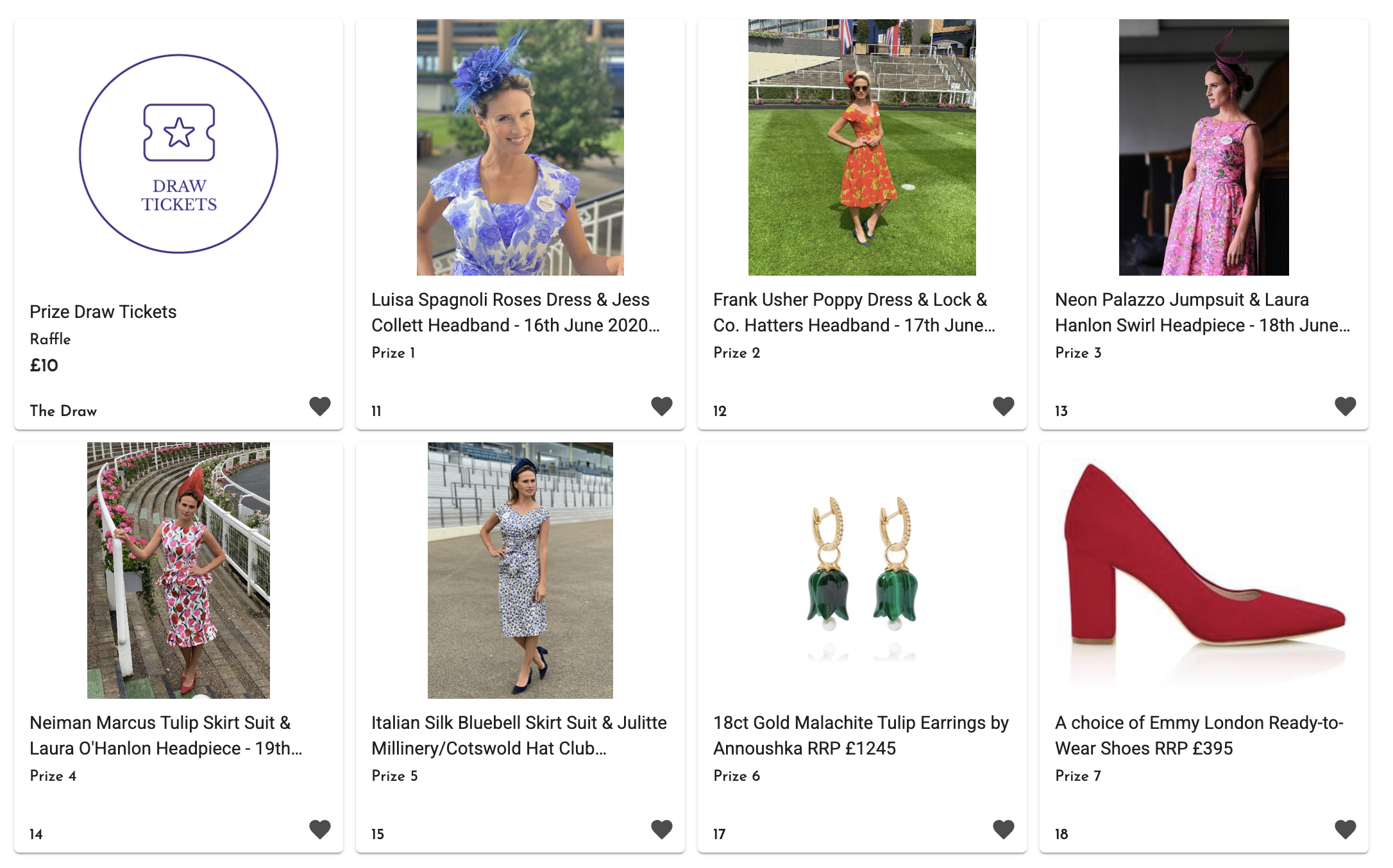
3) If the campaign includes other items types - silent auction, event tickets , donations etc, consider creating a Raffle Menu Item, and, or Widget page linking to a Raffle category.
Live Item Edits for Raffle Prizes
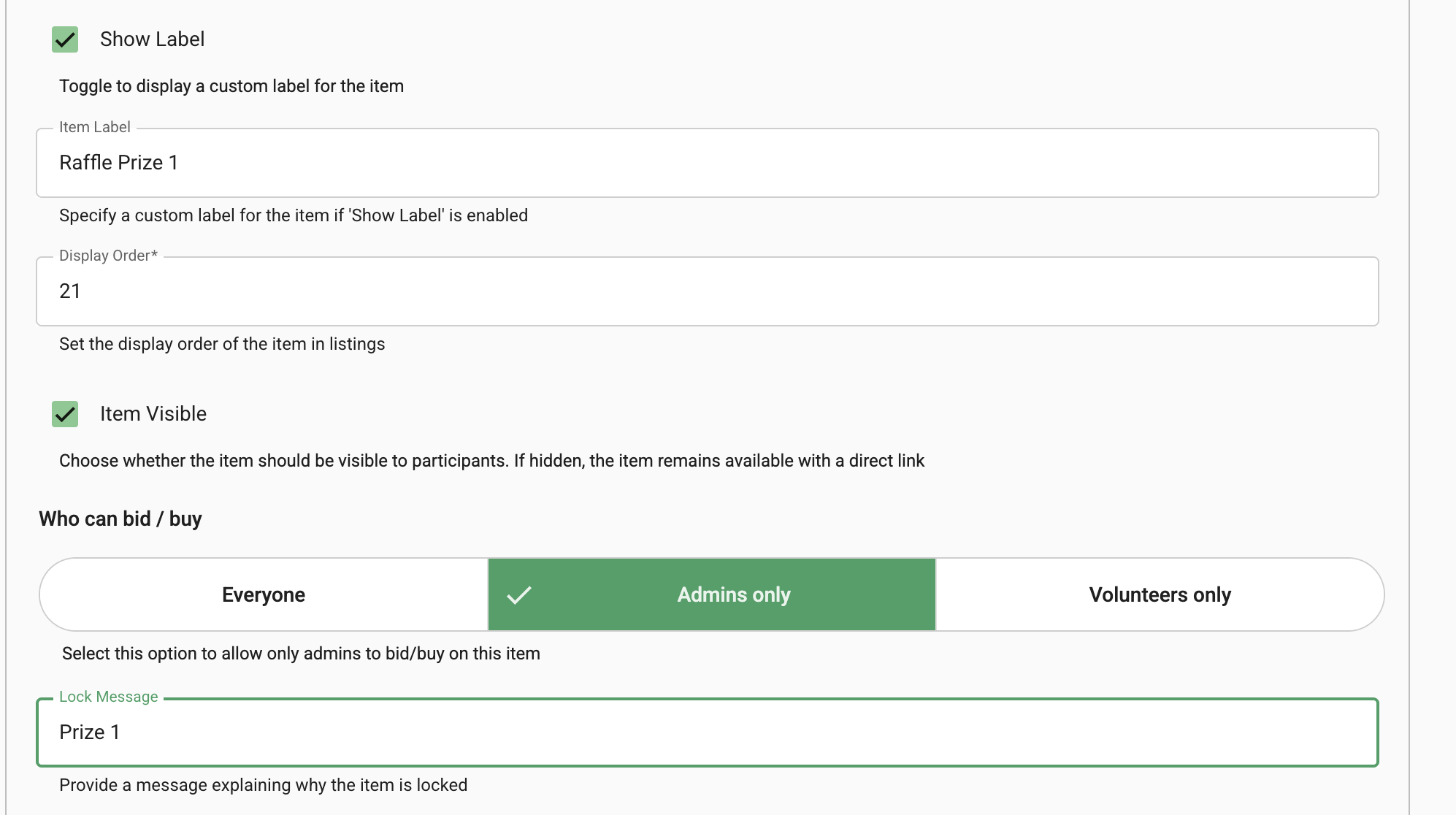
In each item, scroll down to Advanced Options and expand.
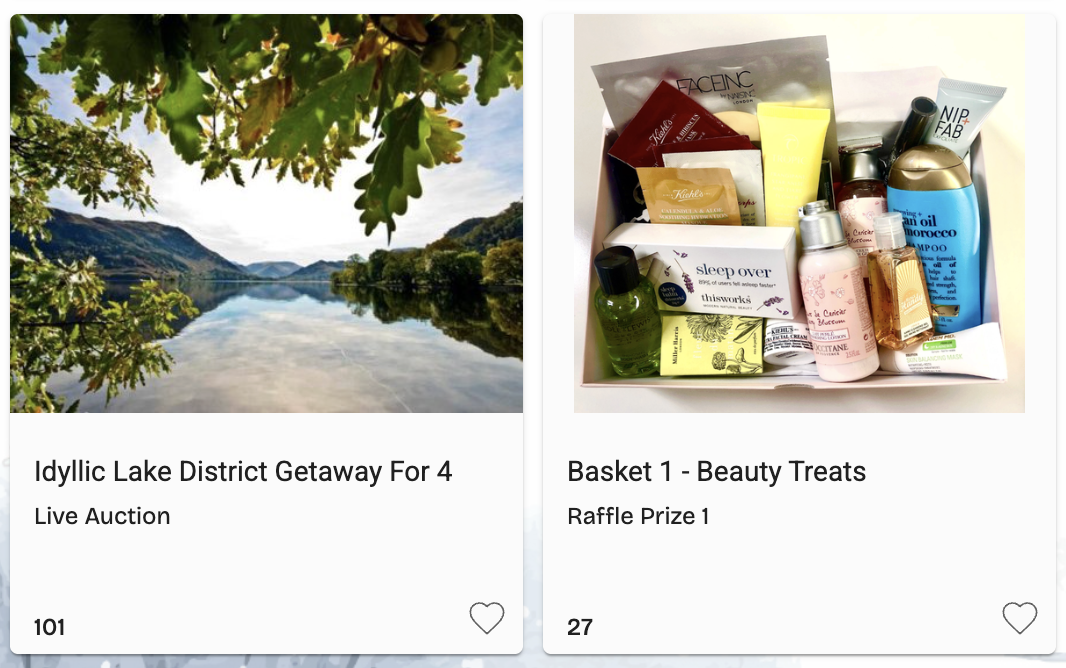
1) Enable label and add text. This changes the default text from Live Auction.

2) Change who can Bid, Buy from Everyone to Admins Only and add a lock message such as Prize 1

Marking Raffle Prizes as Dispatched
This can be done in the Checkout Console.

