

How to Set Up a Campaign Using the Setup Guide
Setup Guide
Once your campaign is created, open the Setup Guide tab from your dashboard. This section displays the setup steps you should complete in order to fully configure your campaign.

1. Tell us about your campaign
Select Go to Campaign Details. You will be taken automatically to Setup → General settings, where you can review your campaign name. If you are running an event, you can also add the event dates and location and save it.
If event details don't apply leave this section blank.

After completing the campaign details step, click Next in the top-right corner to continue to Set up branding.
2. Setup Branding
The Branding section allows you to update your logo, banner images, and set campaign colours. click save to confirm your changes. See this video for more details about Branding.
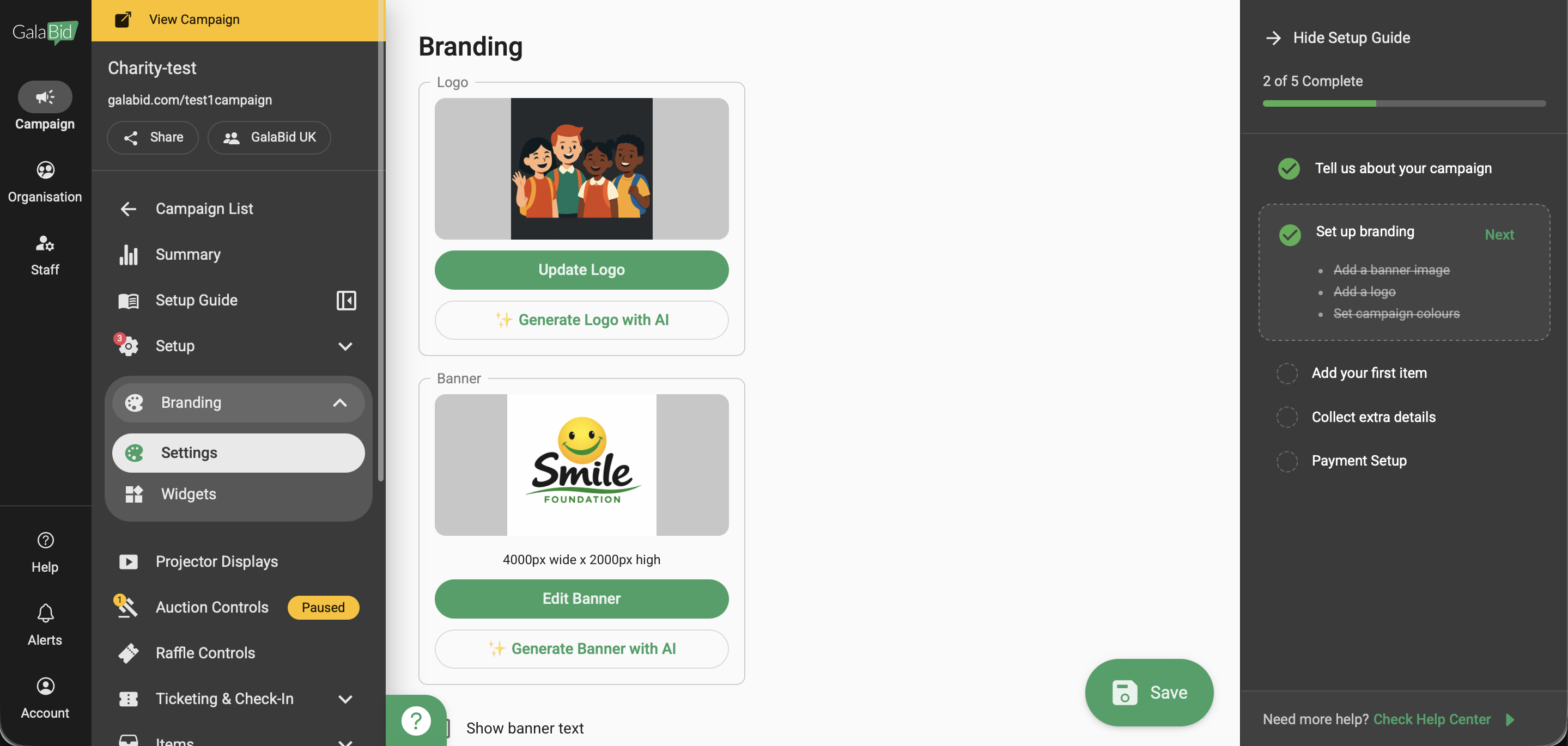
When your branding updates are complete, click Next to proceed. This will navigate you to the Items tab.
3. Add your Item
Choose the item type, add the item name, set the pricing, and upload images. Click Save to complete the item setup. Refer to this article for more information on how to add items.

Click Next to continue to the Registration settings.
4. Collect Extra Details
Check out the article for detailed campaign registration settings.

Click Next to continue to the Payment settings.
5. Payment Setup
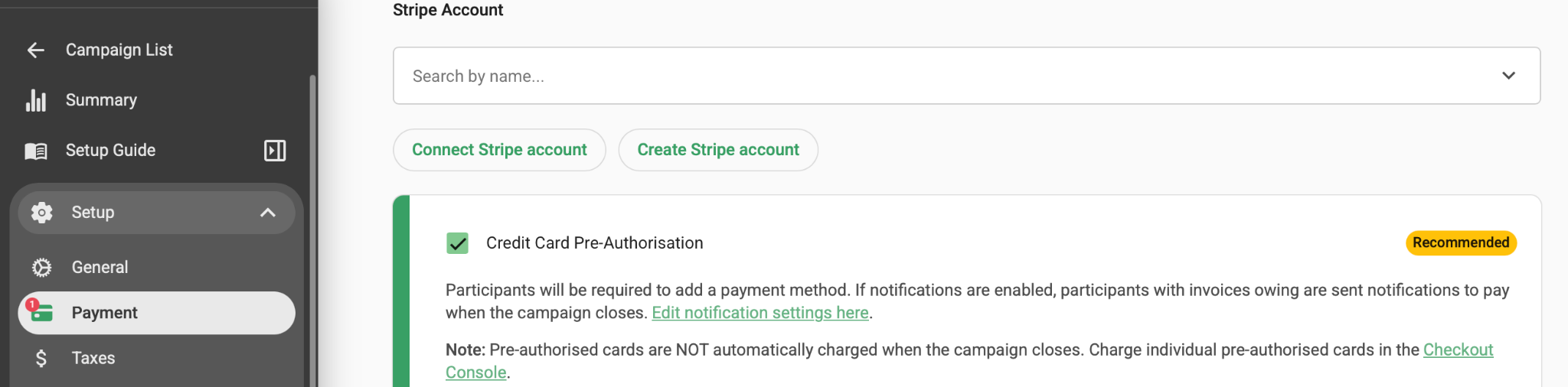
A connected Stripe account is required to process payments and receive payouts. You can either connect an existing account or create a new one during setup.
For more information, see connect stripe article.
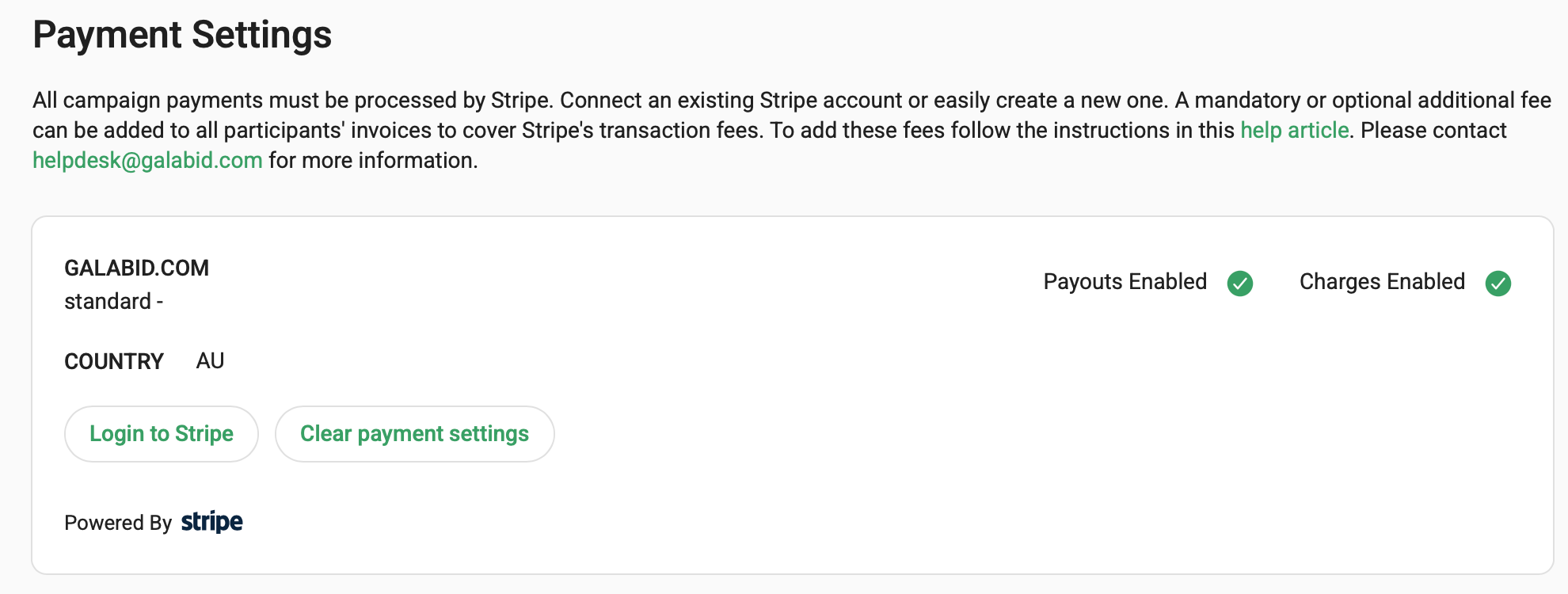
Once Stripe is properly set up, payouts will be enabled for your campaign.
Feature-specific guides are also available:
1) Silent Auction Guide — Learn how to set up and manage a silent auction.
2) Event Ticketing Guide — Set up ticket types, pricing, and event registration.
3) Raffles Guide — Create and manage raffle items, ticket sales, and draws.
4) Paddle Raise Guide — Configure and run a paddle raise or fund-a-need campaign.
5) Live Auction / Auctioneer-Led Auction Guide — Manage live bidding and auctioneer-led events.
